What is Lensa?
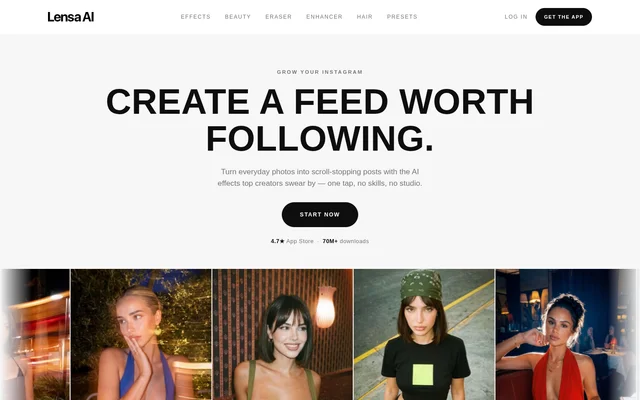
Lensa is an AI photo editor for creators and people who want to prepare everyday photos for Instagram. Lensa combines visual effects, beauty tools, object removal, image enhancement and hairstyle previews. The app is available for iOS and Android, with download links to the App Store and Google Play.
Lensa emphasizes editing without specialist skills or a studio. The website presents single-tap effects and presets alongside tools for specific problems, such as unwanted objects, dark photos and lost detail. The focus is on changing or improving existing photos and creating posts with a consistent appearance.
What Lensa can do
Lensa offers both photo styling and corrective editing. The styling tools change a photo's look through effects, beauty options and presets, while the eraser and enhancer address unwanted content and image quality. Hairstyle previews provide a separate way to explore a changed appearance using a selfie.
- Lensa applies effects including Golden Hour, Halo Flash, Disposable and G7X.
- Lensa includes Hollywood, Hair Boost and Makeup beauty options.
- Lensa removes brushed-over objects and rebuilds the background with AI.
- Lensa upscales photos and enhances detail, clarity, color and lighting.
- Lensa previews hairstyles including Layered Waves, Blunt Bob and Pixie Cut.
- Lensa applies Bright, Pastel and Golden presets to adjust color, light and mood.
How Lensa works
Lensa uses different interactions for different edits. Effects and presets apply a look in a single tap. For object removal, users brush over the unwanted subject, and AI reconstructs the background. For hairstyle previews, users upload a selfie and select a different cut while retaining the same face.
Lensa presents the enhancer for photos affected by heavy cropping, low resolution, darkness or poor lighting. The stated process uses AI upscaling to recover detail and improve clarity and color. The website illustrates changes through before-and-after comparisons, including interactive examples for the eraser and enhancer.
Who Lensa is for
Lensa targets Instagram creators and people who want to edit personal photos without editing expertise. The website connects its effects and presets with preparing posts and keeping a feed visually consistent. Other stated uses include cleaning up vacation photos, improving difficult shots and exploring a haircut before committing to a change.
- Lensa helps creators style everyday photos for social posts.
- Lensa removes photobombers, crowds, signs, power lines and large objects.
- Lensa enhances cropped, dark or low-resolution photos.
- Lensa lets users preview a haircut on their own face.
Lensa pricing and availability
Lensa has an app offer listed at no charge in the website's structured product information. Lensa provides download links for the App Store and Google Play and lists support for iOS and Android. The supplied page does not explain subscription plans, paid upgrades or whether individual features have separate access conditions.
Lensa strengths and information limits
Lensa brings styling, cleanup, enhancement and hairstyle exploration into the same photo editor. Single-tap presets and brush-based removal provide concrete editing workflows without requiring specialist skills. The supplied page describes the main capabilities, but does not establish feature-specific access terms, so the no-charge app listing should not be read as confirmation that every capability is unrestricted.
Lensa FAQ
What is Lensa?
Lensa is an AI photo editor for iOS and Android. Lensa includes photo effects, beauty tools, object removal, image enhancement, hairstyle previews and presets, with a focus on everyday photos and Instagram posts.
Is Lensa free?
Lensa has an app offer listed at no charge in the website's structured product information. Lensa's supplied page does not describe subscriptions, paid upgrades or feature-specific pricing, so the listing does not establish unrestricted access to every feature.
Can Lensa remove objects from photos?
Lensa removes unwanted objects using an eraser tool: users brush over the object, and AI rebuilds the background. Lensa lists photobombers, crowds, signs, power lines and large objects among the subjects the tool can remove.
Can Lensa improve dark or low-resolution photos?
Lensa includes an AI enhancer that upscales photos and improves detail, clarity, color and lighting. Lensa presents the tool for heavily cropped images, low-resolution photos, dark shots, poor lighting and lost detail.
Can Lensa show different hairstyles on a selfie?
Lensa offers a hair try-on feature that restyles hair from an uploaded selfie while keeping the same face. Lensa shows Layered Waves, Blunt Bob and Pixie Cut as examples for previewing a haircut before visiting a salon.
Is Lensa available on Android and iPhone?
Lensa lists iOS and Android as supported operating systems and provides download links to the App Store and Google Play. Lensa's mobile app includes photo styling, object removal, enhancement and hairstyle preview capabilities described on the website.
From the community
No reviews yet
Be the first to review this tool. What you write helps the next person choose.