What is Flowjin?
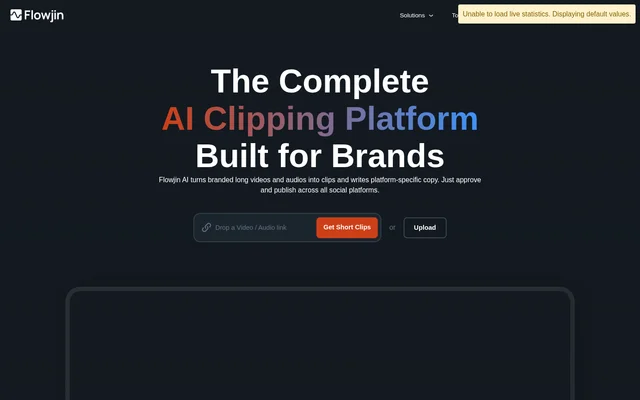
Flowjin is an AI clipping and content repurposing tool for turning long recordings into short social media assets. Flowjin combines video and audio clipping with caption generation, branded editing, and social copywriting. The stated audiences include founders, marketing leads, social media managers, agencies, and individual creators.
Flowjin works with recordings such as podcasts, webinars, calls, interviews, and monologues. The website describes using these recordings to create content for Instagram Reels, YouTube Shorts, TikTok, LinkedIn, and Facebook. Flowjin also supports audio-focused output, including audiograms and quote clips.
What Flowjin can do
Flowjin identifies moments in uploaded media and drafts clips that users can review and customize. Flowjin also generates supporting written material, allowing a recording to become both visual content and social posts. Editing controls cover the clip itself, captions, layout, overlays, and reusable branding.
- Flowjin generates short, captioned clips from video and audio recordings.
- Flowjin provides smart cropping and speaker tracking.
- Flowjin writes titles, descriptions, hashtags, and calls to action for LinkedIn, YouTube, and X.
- Flowjin converts podcasts into audiograms and quote clips.
- Flowjin lets users trim or extend clips and customize captions and layouts.
- Flowjin creates branded templates and supports downloadable subtitles and transcriptions.
How Flowjin works
Flowjin accepts direct uploads and imports from sources named on the website, including YouTube and Apple. The pricing page also describes importing Twitter Spaces and other media through a link. After processing, Flowjin generates captioned clips that users can adjust with their branding, style, and preferred layout.
Flowjin describes a workflow of importing media, reviewing AI-generated clips, customizing the results, and exporting content for social channels. The homepage also promotes a shared scheduling calendar and publishing tools. However, the pricing page marks social publishing and scheduling as coming soon, so the supplied text does not consistently establish current availability.
Who Flowjin is for
Flowjin targets teams and individuals who already produce recordings and want to reuse them across social channels. Flowjin positions founder content, webinar campaigns, podcast promotion, and agency client work as practical applications. The workflow emphasizes reviewing and adapting generated assets rather than editing every clip from the beginning.
- Founders can turn long-form recordings into clips for LinkedIn.
- Marketing leads can repurpose webinars into multi-channel campaigns.
- Social media managers can prepare clips and accompanying posts from existing recordings.
- Agencies can create branded content assets for clients.
- Podcasters can turn audio episodes into audiograms and quote clips.
Flowjin pricing and plans
Flowjin offers a free plan with 60 minutes of one-time video or audio processing credit that does not refill. The free plan lists access to clipping, quote graphics, social copy generation, an editor, and 720p rendering. Structured pricing lists Starter at $19 for a monthly subscription and Creator at $29 for a monthly subscription.
Flowjin also lists yearly subscriptions and a Growth package in its structured pricing. Paid Starter and Creator plans allow unused credits to roll over for one month without accumulating further. Flowjin states that subscription sales are final and that subscriptions can be canceled from the account.
Flowjin strengths and limitations
Flowjin brings clipping, captioning, editing, and social copy generation into a shared workflow for audio and video. Flowjin supports multiple languages, including English, Spanish, Portuguese, French, Dutch, German, and Italian. The free processing credit provides a way to test these tools, but the supplied pages contain conflicting information about some plan details.
- Flowjin performs optimally with videos longer than 10 minutes, although shorter uploads are supported.
- Flowjin gives conflicting processing allowances in its pricing cards and comparison table.
- Flowjin gives differing project retention details across its homepage and pricing page.
- Flowjin does not offer refunds on subscription plans.
Flowjin FAQ
What is Flowjin?
Flowjin is an AI video and audio clipping tool that repurposes recordings into branded short clips, audiograms, quote graphics, and social copy. Flowjin serves founders, marketers, social media managers, agencies, and creators working with podcasts, webinars, interviews, and other recordings.
Is Flowjin free?
Flowjin offers a free plan with 60 minutes of one-time video or audio processing credit that does not refill. Flowjin also offers paid subscriptions, with structured pricing listing Starter at $19 monthly and Creator at $29 monthly.
Can you edit clips generated by Flowjin?
Flowjin includes an editor for trimming or extending clips, customizing captions and layouts, adding overlays, and building reusable branded templates. Flowjin also provides embedded subtitles and lets users download subtitles and transcriptions separately for individual video clips.
Does Flowjin work with short videos?
Flowjin supports uploaded content shorter than 10 minutes, although the website says Flowjin performs optimally with longer videos. Flowjin analyzes uploaded recordings to identify relevant scenes and generate clips rather than restricting use to long-form content.
Can Flowjin schedule social media posts?
Flowjin promotes scheduling and publishing from a single calendar on its homepage, but the pricing page marks publishing and scheduling to a social account as coming soon. Flowjin's supplied pages therefore give inconsistent information about whether this capability is currently available.
What languages does Flowjin support?
Flowjin lists support for English, Spanish, Portuguese, French, Dutch, German, and Italian media in its pricing FAQ. Flowjin's homepage also mentions multilingual support, but the supplied text does not provide a complete list beyond those named languages.
From the community
No reviews yet
Be the first to review this tool. What you write helps the next person choose.