What is GitWit?
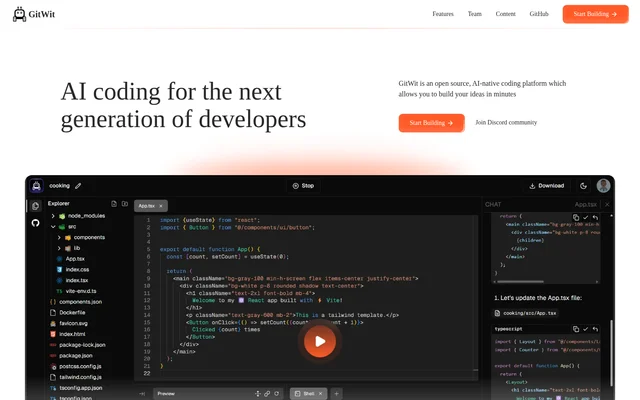
GitWit is an open-source, AI-native coding platform for developers who want to build applications with AI assistance. GitWit brings a browser-based IDE, coding suggestions, and real-time collaboration into a development workflow that covers building, testing, and deploying applications. GitWit is built by a decentralized group of AI engineers, educators, and full-stack engineers. The project makes its code available on GitHub and invites participation through its open-source community.
What GitWit can do
GitWit combines code editing and AI assistance with application development features. GitWit explicitly lists a browser-based IDE, GitHub integration, and a backend built into Next.js applications. Contributor descriptions also identify a secure sandbox environment and backend templating system as parts of the project. These capabilities sit alongside real-time collaboration and AI-powered suggestions intended to support building, testing, and deploying applications.
- GitWit lets developers write code directly in a browser.
- GitWit supports syntax highlighting and auto-completion.
- GitWit provides AI-powered coding suggestions.
- GitWit supports real-time collaboration.
- GitWit integrates with GitHub.
- GitWit provides a backend built into Next.js applications.
How GitWit works
GitWit provides a browser-based editing environment where developers write code with syntax highlighting, auto-completion, and AI-powered assistance. GitWit presents this editor as part of an application-building workflow with real-time collaboration and GitHub integration. GitWit also provides a walkthrough of its features and capabilities. For developers who want their own instance, GitWit links to a step-by-step tutorial for deploying the project on AWS infrastructure.
Who GitWit is for
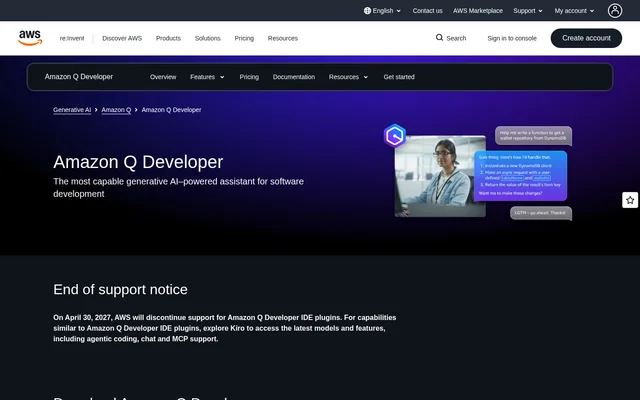
GitWit is aimed at developers building applications and people learning about AI-assisted development. GitWit also invites open-source contributors to help build and improve the project. Educational material includes a feature walkthrough, live coding sessions, and weekly GitWit Sync meetings. GitWit provides a Discord community and weekly YouTube livestreams, giving developers ways to follow the project and learn about its development.
- GitWit supports developers writing application code in a browser.
- GitWit supports developers building Next.js applications with a backend.
- GitWit offers learning material for people exploring AI coding.
- GitWit welcomes contributors interested in developing an open-source coding platform.
GitWit pricing and access
GitWit offers a free starting option through the website's Start Building Free entry point. GitWit is also open source, with a GitHub link for viewing the project. The page does not provide a detailed plan comparison or describe paid tiers. GitWit additionally links to an AWS setup tutorial for developers looking to deploy their own instance, although the page does not state infrastructure costs.
GitWit strengths and available documentation
GitWit brings browser-based editing, AI suggestions, and real-time collaboration together in an open-source project. GitWit supports exploration through a walkthrough, live development sessions, a Discord community, and an AWS deployment tutorial. These resources give developers several ways to understand the project or participate in its development. The page names GitHub integration and AI assistance but does not explain their detailed workflows or specify usage limits.
GitWit FAQ
What is GitWit?
GitWit is an open-source, AI-native coding platform for developers building applications. GitWit combines a browser-based IDE with AI-powered suggestions, real-time collaboration, and GitHub integration to support application development.
Is GitWit free?
GitWit offers a free starting option and is open source, with its code available on GitHub. GitWit does not list a detailed pricing table, paid plan figures, or usage limits on the provided page.
What can you build with GitWit?
GitWit supports building, testing, and deploying applications, and specifically describes a backend built into Next.js apps. GitWit provides browser-based code editing, syntax highlighting, auto-completion, AI-powered suggestions, and real-time collaboration for development work.
Does GitWit integrate with GitHub?
GitWit lists GitHub integration as a feature and provides a GitHub link for its open-source project. GitWit does not describe the integration's specific repository, synchronization, or code-review workflows on the provided page.
Can you deploy your own GitWit instance?
GitWit provides a step-by-step tutorial for deploying GitWit on AWS infrastructure, specifically for developers who want to set up their own instance. GitWit also makes its open-source project available on GitHub.
Does GitWit provide coding tutorials?
GitWit provides a feature walkthrough, live coding sessions, weekly GitWit Sync meetings, and an AWS setup tutorial. GitWit also runs weekly YouTube livestreams for people interested in learning about AI coding and following the open-source project's development.
From the community
No reviews yet
Be the first to review this tool. What you write helps the next person choose.