What is Gling?
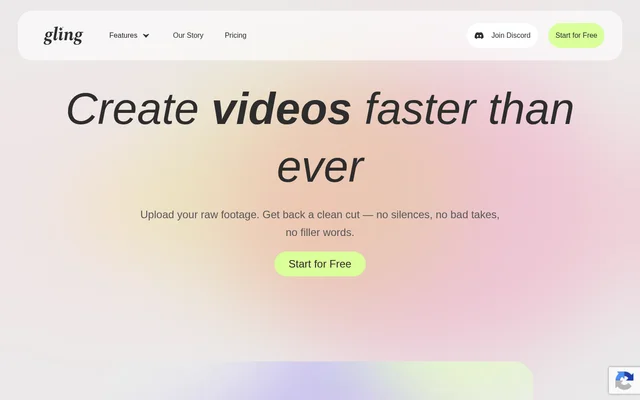
Gling is a desktop AI video editing tool for YouTubers and content creators who work with spoken recordings. Gling uses transcription to identify unwanted takes, pauses and filler words, then allows manual changes to the edited result. Gling supports both video and audio files, including recordings used for voiceovers, and combines recording cleanup with captions, framing adjustments and YouTube content-planning features.
Gling also advertises clip creation and video generation from links. Gling’s editing workflow centers on uploading raw material, reviewing an AI-generated edit and downloading the result or exporting to another editor. Gling is available through a desktop download, with free access subject to editing and export restrictions and paid subscriptions for larger monthly allowances.
What Gling can do
Gling combines speech-based editing, audio cleanup and presentation features in a single workflow. Gling can remove repetitive cutting tasks while retaining manual control through the transcript and timeline. Gling also provides tools for preparing YouTube metadata and planning future videos, alongside subtitle exports and options for continuing an edit in supported external software.
- Gling removes bad takes, silences and filler words automatically.
- Gling lets users refine cuts by editing text or removing timeline clips.
- Gling generates captions and exports subtitles as SRT files.
- Gling provides noise removal, speech audio enhancement and automatic zooming.
- Gling generates YouTube titles, chapters and next-video suggestions.
- Gling exports MP4 or MP3 files and supports external editor workflows.
- Gling supports clip creation and video generation from links.
How Gling works
Gling starts with an uploaded raw recording, which Gling transcribes and analyzes before automatically removing unwanted takes and silences. Users review the edited video and refine the result by adjusting the text or cutting clips from the timeline. Gling accepts audio and video uploads, supports multiple files within a project, and accepts horizontal or vertical videos.
Gling offers direct media downloads and exports for Adobe Premiere, Final Cut Pro and DaVinci Resolve. Gling supports multicamera and separate-microphone workflows directly when exporting to Final Cut Pro or DaVinci Resolve. For Premiere or MP3/MP4 output, the source says users must sync the material before uploading. Separate subtitles can be downloaded by choosing the SRT export option.
Who Gling is for
Gling is aimed at content creators and YouTubers who want to reduce manual editing of spoken recordings. Gling’s transcript-based approach is relevant to creators removing pauses, repeated takes and filler words while preparing captions or moving an edit into another application. Gling also supports audio files for voiceover integration, while the source cautions that videos without speech may not fully benefit.
- Gling helps YouTubers clean up spoken recordings and generate titles or chapters.
- Gling helps creators add captions and prepare separate subtitle files.
- Gling supports voiceover material through audio file uploads.
- Gling supports creators continuing an edit in compatible video editors.
Gling strengths and limitations
Gling combines automatic speech cleanup with manual review rather than requiring users to accept every generated cut. Gling’s export options accommodate direct downloads and continued editing in supported applications, while captions and YouTube planning tools extend beyond trimming. Gling’s suitability depends on the recording type, desktop access, subscription allowance and intended export workflow, particularly for multicamera or separate-microphone projects.
- Gling is designed exclusively for desktop use.
- Gling’s free plan adds a video watermark and excludes external editor exports.
- Gling’s speech-to-text approach may not suit recordings without speech.
- Gling requires pre-synced material for multicamera or separate-microphone workflows exported to Premiere or MP3/MP4.
- Gling’s interface is in English, although supported speech languages include Spanish, French, German, Arabic, Chinese and Japanese.
Gling FAQ
What is Gling?
Gling is a desktop AI video editor for YouTubers and content creators. Gling transcribes recordings, removes bad takes, silences and filler words, and supports manual text-based editing, captions, audio cleanup and exports to supported video editors.
Is Gling free to use?
Gling offers a free plan with 1 hour of AI-edited media per month and unlimited watermarked video exports. Gling’s free version cannot export to Premiere, Final Cut Pro or DaVinci Resolve. Trying Gling does not require a credit card.
Does Gling work with Premiere, Final Cut Pro and DaVinci Resolve?
Gling supports exports to Adobe Premiere, Final Cut Pro and DaVinci Resolve on paid plans. Gling supports multicamera and separate-microphone workflows directly for Final Cut Pro and DaVinci Resolve exports; Premiere workflows require the material to be synced before uploading.
Can Gling export subtitles separately?
Gling can export a separate subtitle file in SRT format. Gling users choose the SRT option during export, allowing subtitles to be downloaded separately from the MP4 or MP3 media output.
Is Gling suitable for videos without speech?
Gling may not be a suitable choice for videos without speech. Gling specializes in enhancing recordings through speech-to-text technology, so videos without spoken content may not fully benefit from the editing features described on the website.
From the community
No reviews yet
Be the first to review this tool. What you write helps the next person choose.