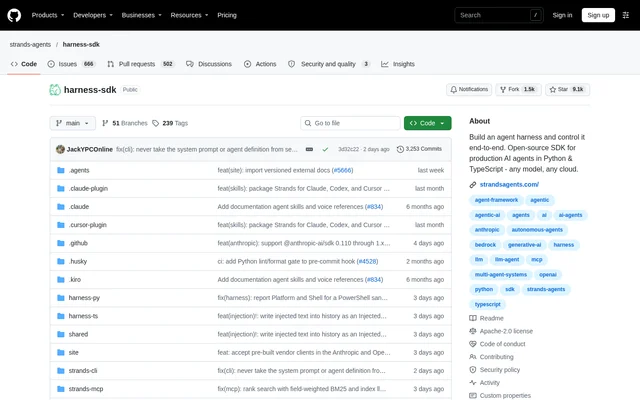
What is harness-sdk?
harness-sdk is an open-source repository for building and running AI agents in Python and TypeScript. The project provides an assembled harness for developers who want configured defaults, alongside SDKs for developers who need to control the agent loop themselves. Agents run inside the developer's process rather than through a hosted control plane.
harness-sdk brings the harness packages, language SDKs, documentation site, CLI, and supporting packages into a single repository. The source describes a model-driven approach that covers tasks otherwise handled by a custom agent loop, including execution limits, tools, memory, model selection, observability, and evaluations.
What harness-sdk can do
harness-sdk combines agent execution controls with tools for connecting models, managing context, and observing decisions. The assembled harness supplies defaults for the model, tools, memory, sessions, and context management. Developers can move to the lower-level SDKs when those defaults do not provide enough control over agent behavior.
- harness-sdk supports turn limits, token budgets, cancellation, and stop reasons.
- harness-sdk connects agents to tools and MCP servers.
- harness-sdk supports structured output, streaming, and multi-agent patterns.
- harness-sdk provides memory, sessions, and context management.
- harness-sdk supports Amazon Bedrock, Anthropic, OpenAI, Gemini, and custom providers.
- harness-sdk traces agent decisions and exposes hooks for logging, validation, and redirection.
- harness-sdk includes guardrails, steering handlers, and evaluations.
How harness-sdk works
harness-sdk offers a harness-first workflow through the strands-harness Python package and the @strands-agents/harness npm package. Developers create an assembled agent with create_harness() in Python or createHarness() in TypeScript, then invoke the agent with a task. The harness configuration reference documents the defaults developers can override.
harness-sdk also offers the strands-agents Python SDK and @strands-agents/sdk TypeScript package for direct configuration of tools, models, memory, sessions, and hooks. The Python SDK requires Python 3.10 or later, while the TypeScript SDK requires a Node.js 22 or later ESM project. The documented default model provider is Amazon Bedrock, requiring AWS credentials unless another model is supplied.
Who harness-sdk is for
harness-sdk serves developers who would otherwise build and maintain their own agent loop. The assembled harness addresses projects that can start with configured defaults, while the SDKs support developers who want to wire components together themselves. The repository also provides a CLI for terminal-based prototyping and an MCP server that gives coding agents knowledge about building with the project.
- harness-sdk can support agents that inspect a repository and explain slow tests.
- harness-sdk can support custom agents with developer-selected tools and model providers.
- harness-sdk can support terminal-based agent prototyping and chat.
- harness-sdk can support workflows that validate or redirect agent steps through hooks.
harness-sdk pricing and access
harness-sdk is available as an open-source project under the Apache License 2.0. Developers obtain the harness and SDK packages through Python package installation or npm, with source code and documentation maintained in the repository. The supplied project text does not describe paid project plans or a hosted subscription service.
harness-sdk strengths and limitations
harness-sdk combines assembled agent defaults with access to lower-level execution controls. Model provider support, in-process operation, tracing, hooks, and guardrails give developers several ways to configure and inspect agent behavior. The documented workflow remains a software development workflow: package installation, runtime compatibility, and model provider setup are part of using the project.
- harness-sdk requires a supported Python or TypeScript development environment.
- harness-sdk requires AWS credentials for default Amazon Bedrock usage unless another model is configured.
- harness-sdk requires developers to configure components themselves when building a custom harness from the lower-level SDKs.
harness-sdk FAQ
What is harness-sdk?
harness-sdk is an open-source project for building and running AI agents in Python and TypeScript. The repository includes assembled agent harnesses, lower-level SDKs, a terminal CLI, an MCP server, and documentation for configuring agent behavior.
Is harness-sdk free?
harness-sdk is available as an open-source project under the Apache License 2.0, with harness and SDK packages distributed through Python package installation and npm. The supplied project text does not list paid project plans.
Which model providers does harness-sdk support?
harness-sdk lists first-class support for Amazon Bedrock, Anthropic, OpenAI, and Gemini, alongside other providers and custom providers. The configuration guide also covers Ollama. The documented default provider is Amazon Bedrock, which requires AWS credentials unless another model is supplied.
Does harness-sdk support MCP and coding agents?
harness-sdk includes MCP support and an MCP server that provides coding agents with knowledge about building with the project. The repository also describes a plugin for Claude Code, Codex, and Cursor covering scaffolding, tool authoring, MCP connections, and migration guidance.
How do developers get started with harness-sdk?
harness-sdk provides an assembled harness through strands-harness for Python and @strands-agents/harness for TypeScript. Developers install the relevant package, create an agent with create_harness() or createHarness(), and invoke a task. The quickstart covers provider configuration and the configuration reference explains overridable defaults.
Does harness-sdk require a hosted control plane?
harness-sdk runs agents within the developer's process without a hosted control plane. The SDKs expose the agent loop, tools, model providers, memory, sessions, and hooks, allowing developers to configure execution directly within their applications.
From the community
No reviews yet
Be the first to review this tool. What you write helps the next person choose.