What is Image Upscaler?
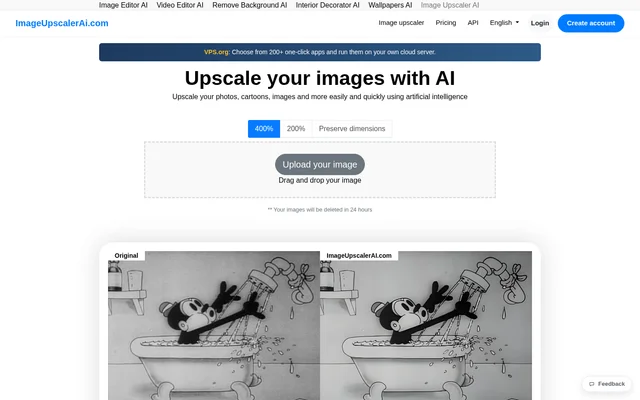
Image Upscaler is an online AI photo editing service for improving image resolution and clarity. Image Upscaler serves photographers, designers, website owners, social media bloggers and other users preparing visual content. The service began as a deep learning convolutional neural network for image upscaling and expanded into a collection of image and video editing tools.
Image Upscaler combines image enlargement with tools for deblurring, generating AI images and converting videos into cartoons. The website describes an upscaling process that analyzes shapes, edges and contrast to reconstruct details while preserving natural textures. Access is browser-based, with free credits and paid subscriptions.
What Image Upscaler can do
Image Upscaler provides tools for low-resolution images, blurred photographs and other visual editing tasks. The website identifies motion blur, focus problems, unclear textures, unwanted objects and JPEG artifacts among the issues its tools can address. Image Upscaler also supports multiple file uploads for processing more than one file at a time.
- Image Upscaler enlarges images up to 4×.
- Image Upscaler reduces blur caused by motion, focus issues or soft details.
- Image Upscaler offers FacePro for improving clarity in blurred facial features.
- Image Upscaler generates AI images.
- Image Upscaler converts videos into cartoons.
- Image Upscaler accepts multiple file uploads.
How Image Upscaler works
Image Upscaler runs directly in a browser and does not require software installation. Users upload an image or video and choose the tool they want to use. Processing then happens automatically on the service's servers. The website describes results arriving in seconds, without specifying a processing time for every tool or file.
Image Upscaler supports JPEG, PNG, WebP, HEIC, BMP, TIFF, AVIF, JFIF and PDF image files, plus MP4 and AVI videos. Image Upscaler states that uploaded photos are processed and deleted 60 minutes after enhancement is complete. This workflow involves uploading files to the service rather than processing them locally.
Who Image Upscaler is for
Image Upscaler is intended for social media bloggers, website owners, designers, photographers, self-development coaches, students, managers and scientists. The website specifically names Instagram, Facebook, Twitter and Pinterest bloggers. Business uses include improving visuals for presentations, advertisements, websites and social media posts, alongside editing product images and everyday photographs.
- Image Upscaler increases resolution for product images and digital artwork.
- Image Upscaler improves portraits affected by blur or unclear facial features.
- Image Upscaler enhances visuals for websites and social media posts.
- Image Upscaler helps prepare images for advertisements and presentations.
Image Upscaler pricing and plans
Image Upscaler uses a freemium credit model with free access before registration and additional credits after signup. Users receive 5 free credits without registering and 6 more after creating an account. Image Upscaler offers paid subscriptions for users who need more credits beyond the free allocation.
Image Upscaler subscriptions provide an additional 50 to 1000 credits monthly for use across current and upcoming software. The supplied page does not list subscription prices or explain how many credits each editing operation consumes. The published information therefore establishes the credit allowances but not the cost of a particular editing task.
Image Upscaler strengths and limitations
Image Upscaler combines browser access, multiple file uploads and support for a range of image and video formats. Free credits allow users to try the service before subscribing. The stated photo-deletion policy gives users a defined retention period after enhancement, while server-side processing means uploaded files are handled by the service.
- Image Upscaler restricts free usage through credit allowances.
- Image Upscaler requires a paid subscription for additional monthly credits.
- Image Upscaler processes uploaded files on its servers rather than locally.
Image Upscaler FAQ
What is Image Upscaler?
Image Upscaler is an online AI photo editing service that enlarges images, reduces blur and improves visual clarity. Image Upscaler also offers AI image generation and video-to-cartoon conversion, with tools available directly in a browser.
Is Image Upscaler free?
Image Upscaler offers 5 free credits without registration and 6 more after signup. Image Upscaler also provides paid subscriptions with an additional 50 to 1000 credits monthly for use across its current and upcoming software.
How much can Image Upscaler enlarge an image?
Image Upscaler can enlarge images up to 4×. Image Upscaler analyzes shapes, edges and contrast to reconstruct details, with the stated aim of preserving natural textures in photographs, digital artwork, product images and other visuals.
Does Image Upscaler require software installation?
Image Upscaler requires no software installation because its tools work directly in a browser. Users upload an image or video, select a tool and have the file processed automatically on Image Upscaler's servers.
Which file formats does Image Upscaler support?
Image Upscaler supports JPEG, PNG, WebP, HEIC, BMP, TIFF, AVIF, JFIF and PDF image files. Image Upscaler also accepts MP4 and AVI videos, covering formats used for photography, websites and digital content.
Does Image Upscaler delete uploaded photos?
Image Upscaler states that uploaded photos are deleted 60 minutes after enhancement is complete. Image Upscaler processes photos on its servers and describes its data protection practices as keeping user images secure and private.
From the community
No reviews yet
Be the first to review this tool. What you write helps the next person choose.