What is Imagifly?
Imagifly is a tool for creating and saving AI image prompts in customizable libraries. Imagifly is intended for people who use generative AI image tools and want to keep prompts and frequently used keywords available for reuse. The website presents prompt organization and simplified prompting as the main functions.
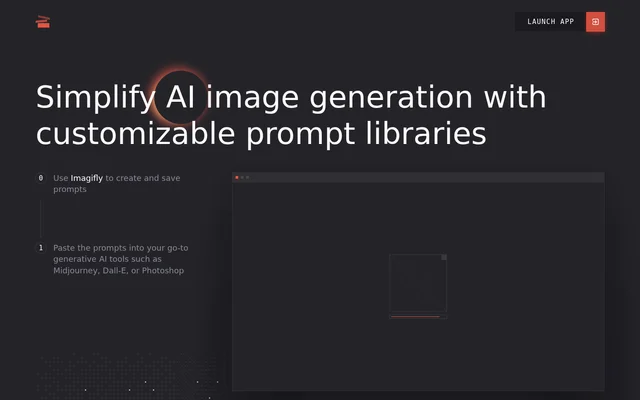
Imagifly focuses on preparing the text users take into an image-generation workflow. The website describes creating and saving a prompt in Imagifly, then pasting that prompt into a chosen generative AI tool. Midjourney, Dall-E, and Photoshop are the named examples of tools used after prompt creation.
What Imagifly can do
Imagifly combines saved prompts with an organized keyword library. Users can keep a prompt after discovering that the prompt produces images they like, while frequently used keywords can be stored separately. Access to the keyword library during prompt creation connects these capabilities within the prompt-writing workflow.
- Imagifly lets users create and save prompts.
- Imagifly provides customizable prompt libraries.
- Imagifly organizes frequently used keywords in a keyword library.
- Imagifly makes the keyword library accessible while users create a new prompt.
How Imagifly works
Imagifly describes a workflow that starts with creating and saving prompts and continues with pasting those prompts into a preferred generative AI tool. Users can draw on their keyword library while writing a new prompt. The website offers account creation to save favorite prompts and keywords, alongside a link to launch the Imagifly app.
Who Imagifly is for
Imagifly serves people who write prompts for AI image generation and want to retain useful prompt text or recurring keywords. The described uses center on building a personal collection of prompts and vocabulary rather than generating images within Imagifly. The website specifically places the tool alongside Midjourney, Dall-E, and Photoshop.
- Imagifly can store prompts that produce images a user wants to recreate.
- Imagifly can organize keywords that a user frequently includes in prompts.
- Imagifly can prepare prompt text for pasting into a chosen generative AI tool.
Imagifly pricing and plans
Imagifly is free to try, and users can create an account to save favorite prompts and keywords. The free allowance covers up to 5 prompts and 150 keywords. Users who need to save more than either allowance can upgrade later for 3.5$/month, as stated on the pricing page.
Imagifly strengths and limitations
Imagifly brings reusable prompts and frequently used keywords into the same prompt-preparation workflow, with keyword access available during writing. The free allowance provides a way to try saving both types of content. The main stated storage constraint is the paid upgrade beyond the free allowance; the described image-generation workflow also involves pasting prompts into another tool.
Imagifly FAQ
What is Imagifly?
Imagifly is a tool for creating and saving prompts for AI image generation. Imagifly provides customizable prompt libraries and an organized keyword library, with access to saved keywords while users create a new prompt.
Is Imagifly free?
Imagifly is free to try with an account, allowing users to save up to 5 prompts and 150 keywords. Imagifly offers an upgrade for 3.5$/month when users need to save more prompts or keywords.
Does Imagifly work with Midjourney, Dall-E, or Photoshop?
Imagifly supports a workflow in which users create and save prompts, then paste those prompts into tools such as Midjourney, Dall-E, or Photoshop. The website describes prompt transfer by pasting, rather than a direct integration.
What can you save in Imagifly?
Imagifly lets users save favorite prompts and frequently used keywords. Imagifly provides a prompt library for prompts users want to keep and an organized keyword library that is accessible while creating new prompts.
Who is Imagifly for?
Imagifly is for people creating prompts for generative AI image tools who want to save useful prompts and organize frequently used keywords. The website names Midjourney, Dall-E, and Photoshop as examples of tools for using those prompts.
From the community
No reviews yet
Be the first to review this tool. What you write helps the next person choose.