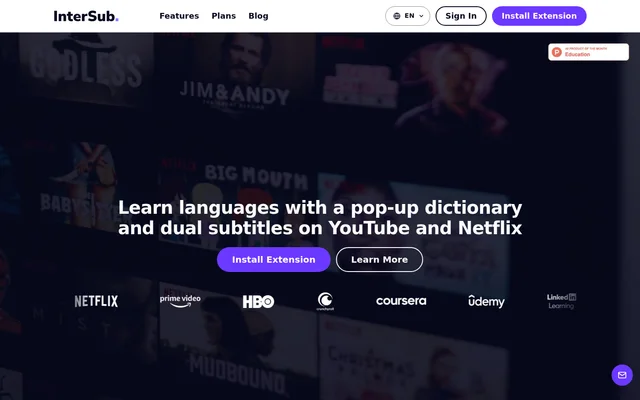
What is InterSub?
InterSub is a dual subtitles and translation browser extension for people learning languages through videos and online courses. InterSub displays original subtitles alongside a translation, lets viewers look up unfamiliar words and saves those words for later study. The extension supports Google Chrome, Microsoft Edge and Firefox, bringing language-learning functions into supported video players rather than requiring learners to move the content elsewhere.
InterSub supports entertainment and educational websites, including YouTube, Netflix, Prime Video, HBO Max, Disney+, Crunchyroll, Bilibili.tv, TED, Coursera, Udemy and LinkedIn Learning. Other supported sites listed on the pricing page include Shahid, Domestika, DW Learn German and Learn.cantrill.io. InterSub also translates selected words on websites outside video players.
What InterSub can do
InterSub combines subtitle translation, contextual explanations and vocabulary collection in the browser. Hovering over a subtitle word pauses the video and opens a dictionary with an AI-generated definition and a contextual translation. InterSub also recognizes English phrasal verbs, idioms and compound nouns, translating the meaning of the phrase rather than treating each word separately.
- InterSub displays original and translated subtitle lines together.
- InterSub translates subtitles with AI on paid plans.
- InterSub saves looked-up words and their context to the Wordbook.
- InterSub uses AI Language Buddy to explain grammar and cultural references.
- InterSub hides subtitles during playback and reveals them on pause.
- InterSub pauses after each subtitle line for spoken repetition.
- InterSub syncs saved words with Anki and exports them to Excel.
- InterSub provides spaced-repetition vocabulary practice through a Telegram bot.
How InterSub works
InterSub is installed through the Chrome Web Store, Microsoft Edge Add-ons or Firefox Add-ons. Chromium-based browsers such as Arc and Brave use the Chrome version. Learners select their languages using the Translate from and Translate to settings, then watch supported content with interactive subtitles. Subtitle size, position and background can be adjusted, and hotkeys control playback and shadowing.
InterSub stores looked-up vocabulary in the Dashboard, accessible through the extension settings and the Words menu. On other websites, selecting or double-clicking a word opens its translation and saves the word with a link to the page. Smartphone Remote Control starts by scanning a QR code over the video and supports pausing playback and looking up subtitle words.
Who InterSub is for
InterSub serves language learners who want to study with shows, films, lectures and courses they already watch. InterSub explicitly supports beginners: translated subtitles help learners follow the story while seeing and hearing the language being studied. Language pairs listed on the website include English to Spanish, Spanish to English, English to Japanese, English to Chinese and German to English.
- InterSub helps beginners follow foreign-language stories with native-language subtitles.
- InterSub supports vocabulary lookup during online lectures and courses.
- InterSub supports Japanese study through anime on Crunchyroll and Bilibili.tv.
- InterSub helps learners review vocabulary collected from viewing sessions.
InterSub pricing and plans
InterSub offers a free plan with unlimited dual subtitles, 15 new word lookups per month, automatic vocabulary saving and limited Wordbook access. New accounts receive a 14-day Premium trial. Pay-as-you-go starts at $1.49 and offers lookup or AI Language Buddy request packages. Premium starts at $6 /mo and includes unlimited word lookups, unlimited Wordbook access and access to word-training apps and bots.
InterSub includes AI subtitle translation with every paid plan and makes the feature available during the trial. Paid plans also include weekly frequent-word reminders. Pay-as-you-go provides limited access to word-training mobile apps and bots. After the Premium trial ends, an account remains on the free plan with unlimited dual subtitles and the monthly word-lookup limit.
InterSub strengths and limitations
InterSub connects viewing, word lookup and vocabulary review through a single browser extension. Broad support for streaming and course websites allows learners to use the same workflow with different content sources. InterSub also offers distinct listening and repetition modes alongside contextual translations. Access depends on plan allowances, however, and the main viewing experience is designed for desktop browsers rather than a standalone mobile app.
- InterSub requires an internet connection for real-time translations and subtitle synchronization.
- InterSub limits free-plan lookups and Wordbook access.
- InterSub requires a paid plan for AI subtitle translation after the trial.
- InterSub provides phone-based remote control and vocabulary practice rather than a mobile version of the desktop extension.
InterSub FAQ
What is InterSub?
InterSub is a browser extension for language learning with dual subtitles, contextual word translations and a vocabulary builder. InterSub works in Chrome, Edge and Firefox on supported streaming and course websites, including YouTube, Netflix, Coursera and Udemy.
Is InterSub free?
InterSub offers a free plan with unlimited dual subtitles and 15 new word lookups per month. InterSub also offers Pay-as-you-go from $1.49 and Premium from $6 /mo. New accounts receive a 14-day Premium trial, including access to AI subtitle translation.
Which browsers and websites does InterSub support?
InterSub supports Google Chrome, Microsoft Edge and Firefox, while Arc and Brave use the Chrome version. Supported websites include YouTube, Netflix, Prime Video, HBO Max, Disney+, Crunchyroll, Bilibili.tv, TED, Coursera, Udemy and LinkedIn Learning.
Can InterSub sync vocabulary with Anki?
InterSub can sync saved Wordbook vocabulary with Anki and export words to Excel through the Dashboard. InterSub also provides a Telegram bot for spaced-repetition practice, connecting words collected from subtitles and websites with later vocabulary review.
Does InterSub work on mobile or offline?
InterSub is a desktop browser extension and requires an internet connection for translations and subtitle synchronization. InterSub offers smartphone Remote Control for playback and subtitle word lookup, plus vocabulary practice through the Telegram bot or Anki.
What does InterSub AI Language Buddy do?
InterSub provides AI Language Buddy, a ChatGPT-powered language tutor that explains words, subtitle lines, grammar points and cultural references. InterSub lets learners ask about meaning within a scene without leaving the episode they are watching.
From the community
No reviews yet
Be the first to review this tool. What you write helps the next person choose.