What is Magenta Studio?
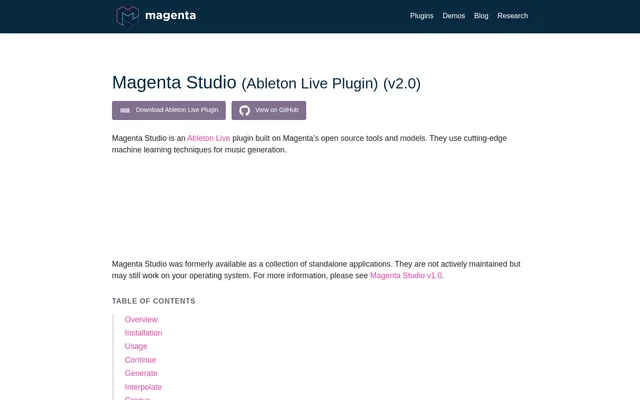
Magenta Studio is an Ableton Live MIDI plugin for generating and transforming musical clips with machine learning. Built on Magenta’s open source tools and models, Magenta Studio works with MIDI clips in Ableton’s Session View. The plugin is intended for users developing melodies, drum beats, and related musical ideas within Live.
Magenta Studio contains five tools: Continue, Generate, Interpolate, Groove, and Drumify. These tools cover different stages of musical exploration, from producing a phrase without an input to extending or reshaping existing material. The current interface launches within the Ableton Live window rather than as a separate standalone application.
What Magenta Studio can do
Magenta Studio combines note generation, musical interpolation, and rhythm processing in a single plugin. Some tools use existing clips as starting points, while Generate produces material without an input. Each tool includes a temperature slider, with higher settings producing more variation and lower settings producing more conservative predictions.
- Magenta Studio uses Continue to extend a melody or drum beat by up to 32 measures.
- Magenta Studio uses Generate to create a 4 bar phrase without an input clip.
- Magenta Studio uses Interpolate to combine two melodies or drum beats into up to 16 clips.
- Magenta Studio uses Groove to adjust drum timing and velocity.
- Magenta Studio uses Drumify to turn an input rhythm into a drum groove.
How Magenta Studio works in Ableton Live
Magenta Studio tools launch when users click their names within the plugin. For clip-based operations, users choose a track before selecting clips from Session View; only MIDI tracks appear as options. After the required selections are complete, the Generate button becomes enabled. Generate instead uses clip selection to determine the output destination.
Magenta Studio places Continue outputs after the selected clip. Groove and Drumify place their output one slot below the input. Interpolate requires two inputs on the same track and inserts results after the second clip. The Interpolate steps slider sets how many clips are returned between the input patterns.
Who Magenta Studio is for
Magenta Studio serves Ableton Live users who want to develop MIDI ideas or explore variations on existing material. The documented uses include overcoming a creative block, finding inspiration for an original sample, merging musical ideas, and generating drum accompaniment. Drumify works best with performed inputs but also handles quantized clips.
- Magenta Studio can add variation to a drum beat with Continue.
- Magenta Studio can create a smooth transition between musical ideas with Interpolate.
- Magenta Studio can generate drum accompaniment for a bassline or melody with Drumify.
Magenta Studio strengths and limitations
Magenta Studio supports both generating new musical material and transforming existing clips inside Ableton Live. The separate tools offer distinct approaches to melody development and drum processing, while temperature controls allow variation in the results. Input restrictions remain important when preparing melodies, selecting drum notes, or choosing clips for interpolation.
- Magenta Studio limits melody input to monophonic melodies.
- Magenta Studio maps out-of-range drum notes to the specified drum instruments.
- Magenta Studio requires Interpolate inputs on the same track; clips should be the same length and less than 4 measures.
- Magenta Studio’s former standalone applications are not actively maintained.
Getting started with Magenta Studio
Magenta Studio is obtained through the Ableton Live plugin download linked on the product page, which also links to GitHub. The listed requirement is Ableton Live 10.1 Suite or greater. To install Magenta Studio, users drag the downloaded amxd file into an available MIDI track, then select a tool within the plugin.
Magenta Studio FAQ
What is Magenta Studio?
Magenta Studio is a MIDI plugin for Ableton Live built on Magenta’s open source tools and models. Magenta Studio includes Continue, Generate, Interpolate, Groove, and Drumify for generating and transforming melodies and drum patterns in Session View.
How do you install Magenta Studio?
Magenta Studio is installed by dragging the downloaded amxd file into an available MIDI track within Ableton Live. The product page lists Ableton Live 10.1 Suite or greater as the requirement, and tools launch by clicking their names within the plugin.
Can Magenta Studio generate music without an input clip?
Magenta Studio can generate a 4 bar phrase without an input clip through Generate. Users choose the output location, number of variations, and temperature before clicking Generate. Clip selection determines where the generated MIDI clips will be placed.
Can Magenta Studio create drum accompaniment?
Magenta Studio can create drum accompaniment through Drumify, which builds a groove from an input rhythm. Documented inputs include a bassline, melody, chord progression, or drum pattern. Drumify works best with performed inputs but can also handle quantized clips.
What input limitations does Magenta Studio have?
Magenta Studio limits melody input to monophonic melodies and uses a specified MIDI mapping for drums. Interpolate requires two clips on the same track; those clips should be the same length and less than 4 measures.
Is Magenta Studio available as a standalone application?
Magenta Studio was formerly available as a collection of standalone applications, but those applications are not actively maintained and may still work on some operating systems. The current Magenta Studio page provides an Ableton Live plugin whose interface launches within Live.
From the community
No reviews yet
Be the first to review this tool. What you write helps the next person choose.