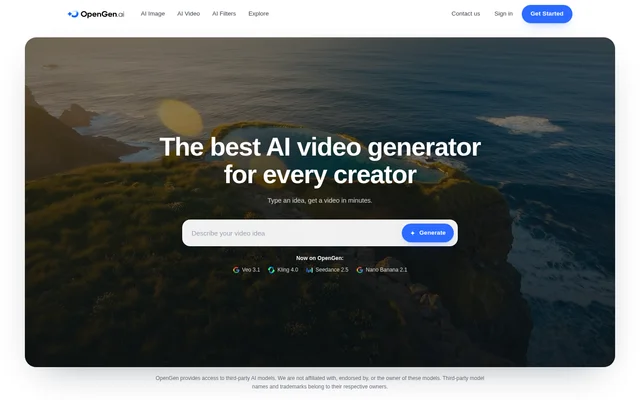
What is OpenGen.ai?
OpenGen.ai is an AI video and image generator for creators who want to turn prompts, photos, or references into short clips and still images. OpenGen.ai provides access to third-party models such as Veo, Kling, and Seedance alongside image generation and voiceover tools. OpenGen.ai does not own the third-party models and states that it is not affiliated with or endorsed by their owners.
What OpenGen.ai can do
OpenGen.ai offers different starting points for visual projects. A creator can describe a scene in text, animate an existing photo, or use a reference to guide the result. The video tools provide controls for framing and motion, while the image tools let creators compare generated versions before refining them.
- OpenGen.ai generates video clips from text prompts.
- OpenGen.ai animates photos using optional start and end frames.
- OpenGen.ai offers camera controls for video generation.
- OpenGen.ai generates images and displays results side by side.
- OpenGen.ai applies AI filters to portraits and photos.
- OpenGen.ai generates voiceovers in the same workspace.
How OpenGen.ai works
OpenGen.ai starts the video workflow with a text prompt or an uploaded image. For image-to-video, the uploaded photo can serve as the start frame, and the prompt describes the desired motion. The creator selects a model, sets the aspect ratio, resolution, and duration, and can add an end frame for more control. After generation, the clip can be downloaded or refined by adjusting the prompt.
OpenGen.ai offers mobile apps with the same models as desktop. The Explore gallery shows example images and clips with their models identified, giving creators a way to find references for their own projects. Gallery examples range from product-style imagery to animated animals and cinematic landscapes.
Who OpenGen.ai is for
OpenGen.ai is aimed at creators making short videos and still images, including people who want to animate photos without editing experience. The tools cover early work such as visual concepts and storyboards, as well as clips for ads, social content, and client projects. Commercial video use is subject to paid-plan terms and the selected model’s license.
- Animate a personal photo or product shot.
- Visualize a scene before developing a storyboard.
- Generate short clips for ads or social posts.
- Restyle a portrait with an AI filter.
OpenGen.ai pricing and plans
OpenGen.ai gives new users 25 free credits and does not require a subscription to access its models. Every generation uses credits. Image generations have a flat credit cost per generation, while video costs depend on the model, length, resolution, and whether sound is on. The model picker displays the starting cost before generation.
OpenGen.ai offers Pro, Ultimate, and Creator subscriptions with monthly credit allowances, as well as one-off credit packs. Subscriptions renew monthly or yearly and can be canceled without losing access for the period already paid for. Extra credits bought in packs do not expire.
OpenGen.ai strengths and limitations
OpenGen.ai brings model selection, visual generation, and voiceover creation into one workspace. The ability to choose an end frame is useful when a photo animation needs to finish on a specific image. OpenGen.ai states that prompts and outputs are not used to train its models and that users can remove generations from their library.
- Each generation, including a new attempt, uses credits.
- The number of videos a credit allowance covers depends on the models and settings used.
- Commercial use of paid-plan videos remains subject to the service terms and the model license.
OpenGen.ai FAQ
What is OpenGen.ai?
OpenGen.ai is an AI video and image generator that brings multiple third-party models into one workspace. Creators can turn text prompts into clips, animate still photos, generate and compare images, apply photo filters, and create voiceovers.
Is OpenGen.ai free to use?
OpenGen.ai gives users 25 free credits when they sign up and does not require a subscription. Every generation uses credits, and users can buy a one-off credit pack or subscribe for a monthly allowance when they need more.
How do you turn a photo into a video with OpenGen.ai?
OpenGen.ai turns a photo into a video by using the uploaded image as the start frame and a text prompt to describe the motion. Creators choose a video model, can add an end frame for tighter control, and can refine the result by adjusting the prompt.
Does OpenGen.ai work on mobile?
OpenGen.ai offers mobile apps for generating AI videos on a phone. The mobile apps use the same models as desktop, so creators can access the same model selection when working on mobile.
Can OpenGen.ai videos be used commercially?
OpenGen.ai allows videos generated on paid plans to be used commercially, including for ads, social content, and client work. Commercial use is subject to OpenGen.ai’s terms and conditions and the license of the model used to generate the video.
From the community
No reviews yet
Be the first to review this tool. What you write helps the next person choose.