What is Roll?
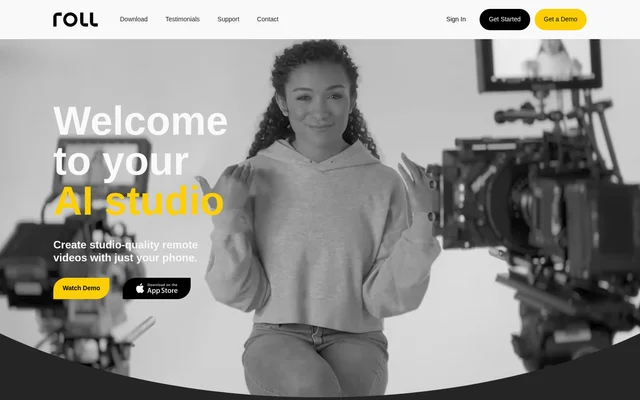
Roll is an AI-powered tool for recording and producing remote videos with an iPhone. Roll combines smartphone cameras with cloud AI models to support remote capture, camera effects, and post-production. The website identifies podcasts, webinars, virtual conferences, remote interviews, fireside chats, and customer testimonials as uses for the tool.
Roll targets video workflows that would otherwise involve specialized recording equipment and manual post-production. The website describes smartphone-based capture alongside effects that change framing and camera movement. Testimonials feature a marketing executive, a content creator and podcaster, and a video production agency representative, illustrating the professional audiences represented on the page.
What Roll can do
Roll combines recording features with AI-assisted visual effects and editing. The capture features focus on image appearance, shot variety, and framing, while automated editing aims to produce a publishable high-resolution result. Roll also describes collaboration and publishing capabilities, although those parts of the workflow carry coming-soon labels on the supplied page.
- Roll records remote video calls using phone cameras.
- Roll supports HDR video with cinematic bokeh.
- Roll creates tight and wide shots with one phone.
- Roll simulates pans, dollies, and crane movements without moving the phone.
- Roll uses body rect sensing and automatic lighting detection for framing.
- Roll generates high-resolution video edits with AI.
- Roll lists collaborative text-based editing as coming soon.
- Roll lists automatic reformatting and direct publishing as coming soon.
How Roll works
Roll pairs iPhone cameras with cloud AI models for remote video production. The described workflow starts with recording remote video calls, then uses effects and AI-generated editing to shape the result. Roll can produce different shot sizes from one phone and simulate camera movement without requiring the phone itself to move.
Roll uses body rect sensing technology and automatic lighting detection to help frame subjects. The website also identifies HEVC as part of the video capture offering. For post-production, Roll describes an AI-generated edit that automates editing and produces a high-resolution result, rather than requiring every edit to be assembled manually.
Who Roll is for
Roll serves people producing remote conversational videos, including content creators, podcasters, marketing teams, and video production agencies. The listed formats span editorial conversations, business communications, and promotional content. A press excerpt specifically discusses turning an executive-recorded webinar into a more professional-looking marketing video, connecting the remote recording workflow to business content production.
- Roll supports podcast and remote interview production.
- Roll supports webinars and virtual conference recordings.
- Roll supports fireside chats and customer testimonial videos.
- Roll can support marketing videos derived from executive webinars.
Roll pricing and access
Roll provides Get Started links throughout the website as the entry point for access. The supplied page does not list prices, subscription tiers, a free plan, or trial conditions. References to reducing production costs describe the intended recording workflow rather than a published software price, so they do not establish what access to Roll costs.
Roll strengths and limitations
Roll brings remote capture, shot variation, simulated camera movement, and automated editing into the same video production offering. The single-phone approach reduces the need for separate cameras to obtain tight and wide views. However, the supplied page distinguishes some planned workflow features from the recording and AI editing capabilities described elsewhere.
- Roll marks collaborative text-based editing as coming soon.
- Roll marks automatic reformatting and direct publishing as coming soon.
- Roll does not provide pricing or plan details on the supplied page.
Roll FAQ
What is Roll?
Roll is an AI-powered remote video production tool that combines iPhone cameras with cloud AI models. Roll supports remote recording, visual effects, automatic framing, and AI-generated editing for formats such as podcasts, webinars, and interviews.
Can Roll create multiple camera shots with one phone?
Roll creates tight and wide shots with one phone and simulates pans, dollies, and crane movements without moving the phone. Roll also supports HDR video with cinematic bokeh for remote video production.
Does Roll edit videos automatically?
Roll offers AI-generated editing that automates the editing process and produces a publishable high-resolution edit. Roll separately lists a text-based editor for cutting lines, changing camera angles, and real-time team editing as coming soon.
Who is Roll for?
Roll is for content creators, podcasters, marketing teams, and video production agencies making remote videos. Roll lists podcasts, webinars, virtual conferences, remote interviews, fireside chats, and customer testimonials among its supported content formats.
Is Roll free?
Roll does not state whether access is free on the supplied page. Roll provides Get Started links, but the page does not publish subscription prices, free-plan details, or trial conditions.
Can Roll reformat and publish videos automatically?
Roll describes automatic reformatting for sharing platforms and direct publishing, but marks that workflow as coming soon. Roll does not name specific publishing destinations or provide integration details in the supplied page text.
From the community
No reviews yet
Be the first to review this tool. What you write helps the next person choose.