AI virtual camera for video recording, conferencing, phone webcams, and background removal.
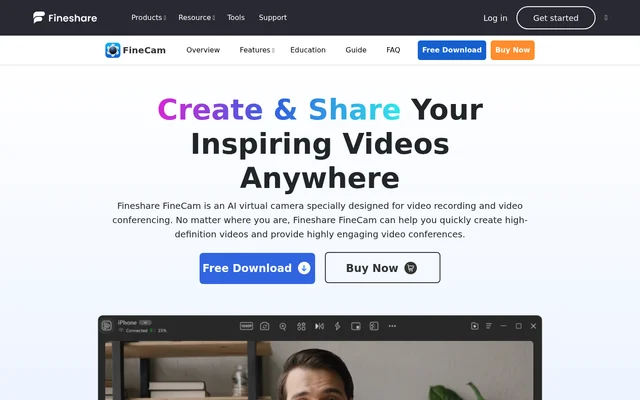
Fineshare FineCam is a virtual camera powered by AI for video recording and conferencing. Fineshare FineCam combines phone webcams, background removal, multiple camera sources, and presentation sharing for teachers, remote teams, creators, and streamers. Fineshare FineCam offers a free download and a purchase option.
FreemiumFineshare FineCam offers a free download and a purchase option. The application listing includes a free offer; paid-plan prices and feature differences are not stated.
Fineshare FineCam is an AI virtual camera for video recording and video conferencing. Fineshare FineCam helps users create HD webcam videos and combine live camera footage with shared content. The software is presented for online teaching, remote meetings, product demonstrations, virtual consultations, content creation, and live streaming.
Fineshare FineCam lists Windows and macOS as supported operating systems in the supplied application information. Fineshare FineCam accepts smartphone cameras alongside other camera types, giving users a way to work with existing capture devices. The page also announces an upcoming Mac version without explaining version-specific feature availability.
What Fineshare FineCam can do
Fineshare FineCam combines camera controls, background tools, and content capture in a recording and virtual-camera workflow. Fineshare FineCam supports camera previews and adjustments to zoom, orientation, resolution, brightness, and contrast. Additional controls cover camera shapes, overlays, filters, and a portrait mode that separates the subject from the background with a bokeh effect.
Fineshare FineCam turns a smartphone into a wireless HD webcam.
Fineshare FineCam removes backgrounds with AI and generates replacement backgrounds.
Fineshare FineCam connects multiple cameras and switches between scenes.
Fineshare FineCam captures application windows and shares webpages and YouTube videos.
Fineshare FineCam mirrors iPhone and iPad screens to a computer.
Fineshare FineCam supports segment recording, remixing, and exporting videos.
How Fineshare FineCam works
Fineshare FineCam describes a workflow that starts by launching the software and choosing a camera. Users then choose what to record or share and select Record or Virtual Camera. Camera sources can include phones, digital cameras, DSLR cameras, action cameras, external webcams, and integrated webcams, with no stated limit on connected cameras.
Fineshare FineCam can position webcam footage on the screen while capturing screen content. Free themes supply layouts, backgrounds, and lens styles, while an overlay editor adds brand information. Fineshare FineCam also uses deep learning for background removal and dedicated GPU hardware for video processing.
Who Fineshare FineCam is for
Fineshare FineCam serves people who need to present information alongside live video. Teachers can show educational materials, remote teams can share documents and ideas, and salespeople can demonstrate products with overlays. The page also describes doctors displaying records during virtual consultations and creators adding images, text, and other visual elements to videos.
Fineshare FineCam supports online lessons with slides, webpages, video, and audio.
Fineshare FineCam supports remote meetings with screen sharing and presentations.
Fineshare FineCam supports product demonstrations and software tutorials.
Fineshare FineCam supports live streams covering gameplay, workouts, cooking, and public speaking.
Fineshare FineCam pricing and access
Fineshare FineCam is available through a free download, and the website also includes a purchase option. The supplied application listing identifies a free offer. Fineshare FineCam does not provide a paid-plan price table or explain which capabilities differ between free and purchased access in the supplied page text.
Fineshare FineCam strengths and limitations
Fineshare FineCam brings multiple camera inputs, presentation sources, background editing, and recording tools into the same workflow. Fineshare FineCam is useful for presentations that require switching between a presenter, supporting material, and different camera angles. The supplied page leaves some purchasing and compatibility questions unresolved rather than documenting every supported configuration.
Fineshare FineCam does not disclose paid-plan prices in the supplied text.
Fineshare FineCam does not explain free-versus-paid feature restrictions.
Fineshare FineCam does not specify feature availability by operating-system version.
Fineshare FineCam FAQ
What is Fineshare FineCam?
Fineshare FineCam is an AI virtual camera for video recording and video conferencing. Fineshare FineCam combines camera footage with presentation materials, background effects, and overlays for uses such as online teaching, remote meetings, product demonstrations, content creation, and live streaming.
Is Fineshare FineCam free?
Fineshare FineCam offers a free download, and the supplied application listing includes a free offer. Fineshare FineCam also has a purchase option, but the supplied page does not state paid-plan prices or explain differences between free and purchased access.
Can Fineshare FineCam use a phone as a webcam?
Fineshare FineCam turns a smartphone into a portable HD webcam with wireless connectivity. Fineshare FineCam provides a video preview and controls for zoom, orientation, resolution, front or rear camera selection, brightness, contrast, camera shapes, and overlays.
Does Fineshare FineCam remove video backgrounds?
Fineshare FineCam provides real-time AI background removal and an AI background generator. Fineshare FineCam uses a deep learning model with semantic analysis and edge detection for background removal, and also offers portrait blur and backgrounds from personal or built-in media libraries.
What content can Fineshare FineCam share or record?
Fineshare FineCam can share slides, webpages, YouTube videos, videos, and photos, capture application windows, and mirror iPhone and iPad screens. Fineshare FineCam also supports multiple camera sources, simultaneous capture from different sources, segment recording, video remixing, and export.
Does Fineshare FineCam support Windows and macOS?
Fineshare FineCam lists Windows and macOS in the supplied application information. Fineshare FineCam also announces an upcoming Mac version on the page, but the supplied text does not clarify release timing or feature differences between operating systems.
From the community
No reviews yet
Be the first to review this tool. What you write helps the next person choose.