What is Xpression Camera?
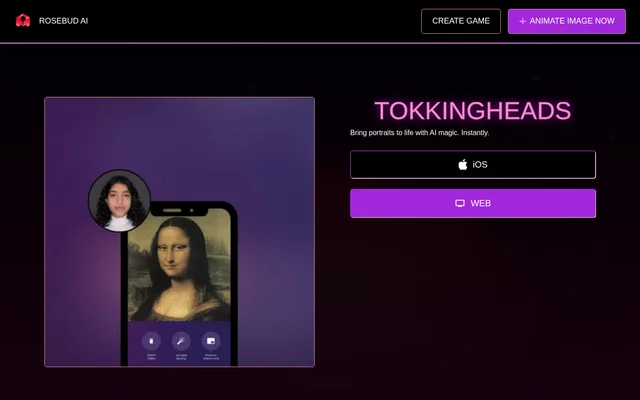
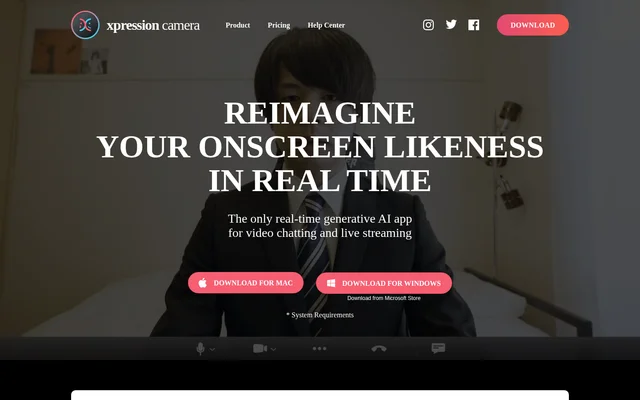
Xpression Camera is a virtual camera app that turns a photo into an animated onscreen persona for video communication and content creation. Xpression Camera reflects the user's facial expressions and head movements in the chosen image in real time. The app is intended for activities such as chatting on Zoom, streaming on Twitch, and creating YouTube videos. A source image can depict a person or another subject with a face, including a painting, cartoon, sculpture, stuffed animal, or pet.
What Xpression Camera can do
Xpression Camera combines photo animation, avatar customization, and content creation tools. Xpression Camera can use images from the web, a camera roll, or social media, and can change an onscreen appearance or background. The app also offers generated animations for additional emotional expression, alongside animation controlled by the user's face or voice.
- Xpression Camera animates a photo using facial expressions and head movements.
- Xpression Camera converts selfies into humanoid, CG, and cinematic anime avatars.
- Xpression Camera supports changes to hairstyles, makeup, clothing, accessories, and backgrounds.
- Xpression Camera uses Voice2Face to animate an image from speech.
- Xpression Camera generates additional expressive animations with a button click.
- Xpression Camera supports videos, GIFs, memes, and social content.
How Xpression Camera works
Xpression Camera is used by downloading the app to a laptop or desktop computer, opening a video chat or live streaming application, and selecting Xpression Camera in the application's webcam settings. After choosing an image in Xpression Camera, the user controls the digital persona through facial expressions and head movements. The website names Zoom and Twitch as examples of compatible applications. Voice2Face provides another interaction method: the user's voice drives the onscreen image while the user remains off camera.
Xpression Camera lists Windows 10 Anniversary Update or newer and macOS 12.3 or newer as supported operating systems. The published minimum hardware includes 8 GB RAM, AVX2 support, compatible graphics, a physical webcam, and a screen resolution of 1024x768. The website also provides recommended hardware specifications for users checking whether a computer meets the app's requirements.
Who Xpression Camera is for
Xpression Camera serves people who want an animated digital persona for calls, broadcasts, or recorded content. Xpression Camera specifically addresses content creators through tools for sourcing images and videos and producing original material for friends, business associates, and followers. The available subjects extend beyond human portraits, allowing creators to work with artwork, illustrations, cartoons, and other images containing a face.
- Video callers can appear as an animated image during online conversations.
- Live streamers can use a digital persona in Twitch broadcasts.
- Content creators can produce YouTube videos, GIFs, memes, and social content.
- Users can let speech animate an image while moving away from the camera.
Xpression Camera strengths and limitations
Xpression Camera brings several forms of onscreen identity control into a desktop virtual camera workflow. Xpression Camera supports a single-photo starting point, varied image subjects, appearance customization, and both face-driven and voice-driven animation. Changing the displayed image also provides a way to avoid showing the user's real appearance during online communication. Compatibility still depends on the supported operating systems and hardware listed on the website, so the desktop requirements remain relevant when evaluating the app.
- Xpression Camera requires a supported Windows or macOS installation.
- Xpression Camera lists AVX2 support among its minimum hardware requirements.
- Xpression Camera includes a physical webcam in its published minimum requirements.
Xpression Camera FAQ
What is Xpression Camera?
Xpression Camera is a virtual camera app that animates a face in a photo using the user's expressions and head movements in real time. Xpression Camera supports video chats, live streams, and content creation, with Zoom, Twitch, and YouTube named as examples of where users can apply the results.
How do you use Xpression Camera with Zoom or Twitch?
Xpression Camera works with Zoom or Twitch by being selected in the application's webcam settings after the desktop app is downloaded. Xpression Camera then lets the user choose an image and control the face in that image through real-time facial expressions and head movements.
Can Xpression Camera animate a photo using your voice?
Xpression Camera includes Voice2Face technology, which animates an onscreen image using the user's voice while the user stays off camera. Xpression Camera also offers generated animations to add emotional expression with a button click.
What can you create with Xpression Camera?
Xpression Camera supports videos, GIFs, memes, cinematic content, and social content. Xpression Camera also converts selfies into avatars and allows customization of backgrounds, hairstyles, makeup, clothing, and accessories for different onscreen personas.
What operating systems does Xpression Camera support?
Xpression Camera supports Windows 10 Anniversary Update or newer and macOS 12.3 or newer. Xpression Camera also lists minimum hardware requirements, including 8 GB RAM, AVX2 support, compatible graphics, a physical webcam, and a screen resolution of 1024x768.
What kinds of photos can Xpression Camera animate?
Xpression Camera can animate images containing a face, including pictures, paintings, dolls, cartoons, sculptures, illustrations, and pets. Xpression Camera accepts images sourced from the web, a camera roll, or social media, rather than limiting users to selfie-based avatars.
From the community
No reviews yet
Be the first to review this tool. What you write helps the next person choose.