What is Rows AI?
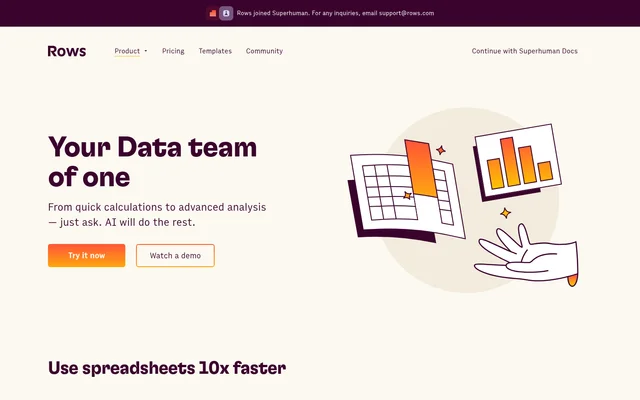
Rows AI is an AI assistant built into a spreadsheet for calculations, data preparation, reporting, and advanced analysis. Rows AI lets spreadsheet users describe what they need in natural language rather than manually constructing every formula or analysis step. The interface supports tasks ranging from fixing formula errors to exploring datasets and producing charts.
Rows AI combines spreadsheet editing with document extraction, business data imports, and built-in Python analysis. The source describes workflows for customer feedback, advertising data, cohorts, forecasts, and statistical testing. Rows AI also supports phone-based requests, including table filtering, summaries, quick reports, and questions about spreadsheet data.
What Rows AI can do
Rows AI handles both spreadsheet operations and broader analytical tasks through prompts. Capabilities include changing cells and columns, working across tables, interpreting text, and generating new datasets or models. Document extraction and web research extend the workflow beyond information already stored in a spreadsheet.
- Rows AI creates calculated columns and fixes formula errors.
- Rows AI joins tables, adds lookup columns, and performs multi-table analysis.
- Rows AI creates charts, pivots tables, and applies consistent formatting.
- Rows AI extracts editable tables from PDFs, invoices, screenshots, and images.
- Rows AI runs forecasts, significance tests, clustering, and cohort analysis without coding.
- Rows AI classifies text, analyzes sentiment, and extracts key concepts.
- Rows AI researches web pages and enriches tables with contextual facts.
How Rows AI works
Rows AI opens through the bubble button at the bottom right of a spreadsheet page or by typing = directly into a cell. Users then describe the calculation, transformation, chart, or analysis they need. Rows AI is native to the interface, so the stated workflow requires no separate installation, extension, or upgrade.
Rows AI can import live data from GA4, Google Search Console, Google Ads, Facebook Ads, LinkedIn Ads, and social media pages. Document extraction accepts custom instructions for the desired result. Built-in Python supports advanced analysis without requiring users to write code, while phone access supports summaries, filters, reports, and data questions.
Who Rows AI is for
Rows AI serves spreadsheet users who need to prepare, combine, and interpret business data without coding. The examples cover routine reporting as well as deeper analysis of customers, trends, and scenarios. Rows AI also supports users starting without an existing dataset by generating sample data, spreadsheet models, lists, or calculators from prompts.
- Rows AI helps reporting users aggregate daily data and build charts.
- Rows AI helps customer-facing teams classify feedback and analyze sentiment.
- Rows AI helps business data users segment customers and explore cohorts.
- Rows AI helps document-heavy workflows turn invoices and scans into tables.
Rows AI pricing and plans
Rows AI is available across Free, Plus, Pro, and Enterprise plans. The pricing page lists 5 AI tasks per month on Free, 200 on Plus, and 1,000 on Pro. Enterprise lists unlimited AI tasks. The Free plan is available without a credit card, has no trial period, and includes manual data imports.
Rows AI paid access starts with Plus at $8 per month per user when billed monthly. Pro costs $79 per month plus $8 per month per user on monthly billing. Annual billing rates are also listed, and Enterprise requires contacting the company. Prices exclude applicable sales tax or VAT.
Rows AI strengths and limitations
Rows AI combines spreadsheet editing, document extraction, connected business data, and no-code statistical analysis in the same workflow. Rows AI states that user data is not used to train AI models and that only minimal information is shared with the AI. The disclosed information includes table headers, a sample of up to 5 rows, and basic statistics.
- Rows AI uses a curated model selection that users cannot currently change.
- Rows AI has monthly task allowances on Free, Plus, and Pro according to the pricing page.
- Rows AI file import limits and integration account allowances vary by plan.
- Rows AI spreadsheet file management is marked as coming soon.
Rows AI FAQ
What is Rows AI?
Rows AI is a spreadsheet assistant that uses natural-language prompts to edit tables, create charts, extract document data, and perform analysis. Rows AI includes built-in Python for advanced statistics and supports tasks such as forecasting, cohort analysis, and text classification without requiring code.
Is Rows AI free?
Rows AI is available on a Free plan with no trial period or credit card requirement. The pricing page lists 5 AI tasks per month for Free, with higher monthly allowances on Plus and Pro and unlimited AI tasks on Enterprise.
How do you access Rows AI?
Rows AI can be accessed by clicking the bubble button in the bottom right corner of a spreadsheet page or typing = in any cell. Rows AI is built into the interface and requires no separate installation or browser extension.
Which tools can Rows AI import data from?
Rows AI supports importing live data from GA4, Google Search Console, Google Ads, Facebook Ads, LinkedIn Ads, and social media pages. Rows AI also extracts tables and text from PDFs, screenshots, and scans for spreadsheet analysis.
Does Rows AI use your data to train models?
Rows AI states that user data is not used to train AI models. Rows AI shares minimal information with the model: table headers, a sample of up to 5 rows, and basic statistics such as minimum and maximum values.
Can you choose which AI model Rows AI uses?
Rows AI does not currently let users choose a different model for the AI Analyst. Rows AI uses a curated combination of OpenAI GPT models, Llama, and other language models, while enterprise or custom needs can be discussed with the company.
From the community
No reviews yet
Be the first to review this tool. What you write helps the next person choose.