What is Saga?
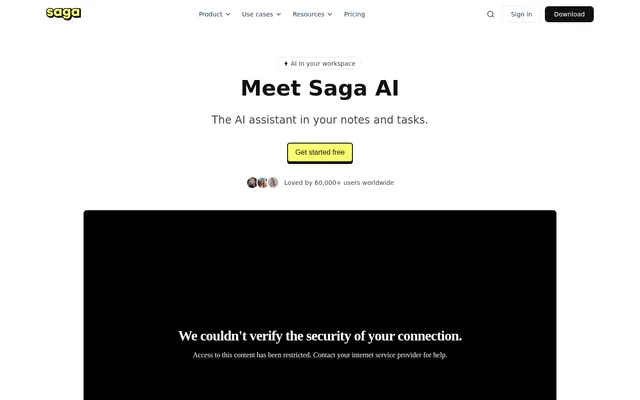
Saga is an AI workspace that brings notes, documents, tasks, and shared knowledge into a connected environment. Saga is designed for individuals and teams who want to write, organize information, and collaborate with AI assistance. The workspace combines document editing with task management rather than separating those activities across different tools.
Saga supports real-time collaboration, shared pages, and guest access. Automatic linking and references help connect information across a workspace, while search helps users find existing content. Saga also supports public pages and workspaces, making the same environment suitable for internal knowledge and documentation that people outside a team can view.
What Saga can do
Saga combines content creation, knowledge navigation, and work tracking. Saga AI uses large language models to draft, rewrite, and summarize content within the workspace. The surrounding editor and organization features support shared documents, connected notes, and tasks, while integrations provide access to information from Google Drive and Linear.
- Saga drafts, rewrites, and summarizes workspace content with AI.
- Saga lets teams edit and share documents in real time.
- Saga keeps lightweight tasks inside notes.
- Saga displays tasks on a Kanban board for tracking progress.
- Saga automatically links pages and shows references between information.
- Saga opens pages, tasks, and Google Drive files side by side.
- Saga supports public pages and workspaces.
How Saga works
Saga organizes collaboration into workspaces, each with its own members, settings, and content. Users can create pages and tasks, invite collaborators, and share information within that environment. When a user runs an AI action, Saga processes the instructions and the content included in the request to produce the requested drafting, rewriting, or summarization output.
Saga is available through Mac and Windows desktop apps and works in mobile browsers. Google Drive and Linear integrations connect external information to the workspace, with integration access varying by plan. Saga states that data is encrypted at rest and in transit and that user data is not used to train AI models.
Who Saga is for
Saga serves individuals and teams managing notes, documents, tasks, and shared knowledge. Saga describes the Free plan as suitable for personal use and small teams, Standard for mid-sized teams, and Business for larger organizations. Public sharing also supports documentation, wikis, and other content intended for readers outside a private workspace.
- Saga helps individuals organize connected notes and tasks.
- Saga helps teams maintain shared documentation and knowledge bases.
- Saga supports collaborative drafting and editing of documents.
- Saga supports task tracking through notes and Kanban views.
- Saga lets teams publish documentation through public pages and workspaces.
Saga pricing and plans
Saga offers a Free plan with unlimited pages and tasks, up to 3 members per workspace, and 5,000 AI words/month. Saga Free also includes 7 days of version history, 1 integration, and 10 guests. Standard adds unlimited workspace members, unlimited version history, Google Drive and Linear integrations, and unlimited Saga AI subject to fair usage.
Saga lists Business as coming soon, with a waitlist for features including advanced permissions and AI search across tools and the web. Enterprise is billed annually and requires contacting sales, with dedicated support and training and onboarding listed. Saga states that prices are in USD, charges apply per workspace, and VAT may apply.
Saga strengths and limitations
Saga brings writing, task tracking, and connected knowledge into a shared workspace with real-time collaboration. Saga provides unlimited pages and tasks on the Free plan, while automatic linking, references, and side-by-side viewing support navigation between related information. The main constraints concern free-plan allowances, mobile availability, and features reserved for paid or forthcoming plans.
- Saga Free limits workspace membership and monthly AI usage.
- Saga Free allows only 1 integration, either Google Drive or Linear.
- Saga offers mobile browser access, but a dedicated mobile app remains on the roadmap.
- Saga lists Business as coming soon rather than generally available.
- Saga AI remains subject to fair usage on plans advertising unlimited AI.
Saga FAQ
What is Saga?
Saga is an AI workspace for notes, documents, tasks, and shared knowledge. Saga combines real-time collaboration, automatic page linking, search, and task management with AI assistance for drafting, rewriting, and summarizing content.
Is Saga free?
Saga offers a Free plan with unlimited pages and tasks, up to 3 members per workspace, and 5,000 AI words/month. Saga Free also includes 7 days of version history, 1 integration, and access for 10 guests.
What can Saga AI do?
Saga AI uses large language models to draft, rewrite, and summarize content in a workspace. Saga processes the user's instructions and the content included in an AI request. Standard also lists custom AI commands and the ability to talk to pages.
Does Saga integrate with Google Drive and Linear?
Saga integrates with Google Drive and Linear to help users find and edit information across connected apps. Saga Free permits 1 integration, choosing Google Drive or Linear, while Standard includes both integrations.
Does Saga have desktop and mobile apps?
Saga provides desktop apps for Mac and Windows and supports use through mobile browsers. Saga does not yet offer a dedicated mobile app; the website lists a dedicated mobile app on the roadmap.
Does Saga use customer data to train AI models?
Saga states that customer data is not used to train AI models and that data is encrypted at rest and in transit. Saga processes instructions and the content included in a request when users run an AI action.
From the community
No reviews yet
Be the first to review this tool. What you write helps the next person choose.