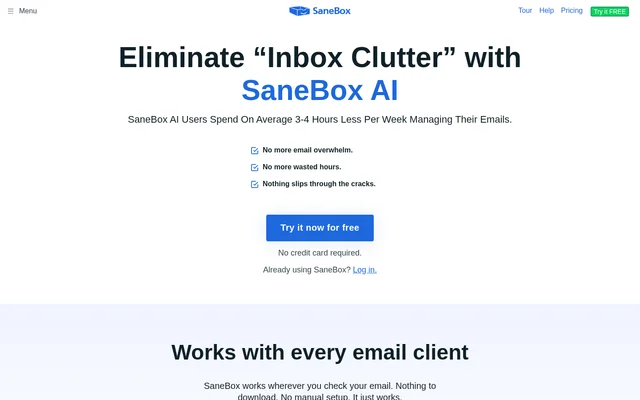
What is SaneBox?
SaneBox is an AI email management service that organizes incoming messages into folders based on importance. SaneBox is designed for people who want to spend less time sorting irrelevant email and more time on messages that need attention. SaneBox uses algorithms and machine learning to perform this sorting within an existing email setup.
SaneBox combines inbox filtering with reminders, sender blocking, snoozing, and email summaries. SaneBox also offers an AI Bundle for drafting replies and reviewing message activity. These capabilities address different parts of email management, from reducing unwanted interruptions to identifying conversations that still need a response.
What SaneBox can do
SaneBox provides tools for separating less important messages from the inbox and managing email that needs attention later. SaneBox's Daily Digest covers unopened, unimportant emails, while the AI Bundle adds drafting and summarization capabilities. SaneBox also supports reminders for unanswered messages and reminders addressed to the user's future self.
- SaneBox automatically sorts incoming email into folders by importance.
- SaneBox uses BlackHole to keep unwanted senders out of the inbox.
- SaneBox snoozes emails until the user is ready to handle them.
- SaneBox generates reply drafts in the user's voice through SaneDrafts.
- SaneBox summarizes the inbox and custom folders through SaneSummary.
- SaneBox surfaces emails awaiting replies through SaneNoReplies Plus.
- SaneBox provides one-line message summaries through Digest Plus.
How SaneBox works with existing email
SaneBox works wherever users check their email, including iOS, Android, mobile, and desktop clients. SaneBox states that no download or manual setup is required. Supported email services include Gmail, Microsoft 365, Apple iCloud, Yahoo! Mail, and Fastmail, alongside any IMAP, Microsoft Exchange, or ActiveSync server.
SaneBox supports OAuth access with compatible services, and users can revoke access at any time. SaneBox says account credentials are encrypted and securely stored. SaneBox also states that email processing looks at basics such as sender, subject line, and date, and that full emails and attachments are never stored.
Who SaneBox is for
SaneBox is intended for people dealing with email overload, unwanted messages, and conversations that require follow-up. SaneBox's website also highlights real estate agents managing substantial email traffic. The combination of sorting, summaries, and reminders supports users who need to distinguish important correspondence from messages that can wait.
- SaneBox helps users separate important correspondence from lower-priority messages.
- SaneBox helps users review folder activity through summaries rather than individual messages.
- SaneBox helps users track unanswered emails and schedule follow-up reminders.
- SaneBox helps users postpone email handling by snoozing selected messages.
SaneBox pricing and plans
SaneBox offers paid plans that differ in included features and email account limits. SaneBox provides a 7-day free trial for each plan, and the website states that no credit card is required. The supplied page does not list subscription prices or specify which plan includes each AI feature.
SaneBox offers educational, non-profit, and government agencies a 25% discount on any plan. SaneBox also provides cancellation guidance, including a choice about whether to keep or remove Sane folders. Users can access the trial through the website and consult the linked plan options for available subscriptions.
SaneBox strengths and limitations
SaneBox combines broad email compatibility with filtering, reminders, drafting, and summaries without requiring a separate email client. SaneBox states that personal information is never sold or shared. SaneBox also reports annual security assessments through Google's Restricted Scopes verification process, external audits by Leviathan Security Group, and ongoing security testing using HackerOne.
SaneBox is a paid service beyond the trial, and plan differences affect feature availability and the number of supported email accounts. SaneBox's supplied pricing page does not provide subscription amounts or a detailed feature comparison. Those omissions limit what can be established about plan costs and AI Bundle access from this text.
SaneBox FAQ
What is SaneBox?
SaneBox is an AI email management service that uses algorithms and machine learning to sort incoming messages into folders based on importance. SaneBox also offers sender blocking, reminders, email snoozing, reply drafts, and summaries to help users manage inbox clutter.
Is SaneBox free?
SaneBox is a paid service with a 7-day free trial for each plan, and no credit card is required to try the service. SaneBox plans differ by features and email account limits. Educational, non-profit, and government agencies can receive a 25% discount.
Does SaneBox work with Gmail and Outlook email services?
SaneBox supports Gmail and Microsoft 365, as well as Apple iCloud, Yahoo! Mail, and Fastmail. SaneBox also works with any IMAP, Microsoft Exchange, or ActiveSync server and states that users can keep their existing email clients without downloading software.
What does the SaneBox AI Bundle include?
SaneBox offers an AI Bundle with SaneDrafts for reply drafts in the user's voice, SaneSummary for inbox and custom-folder summaries, SaneNoReplies Plus for emails awaiting replies, and Digest Plus for one-line message summaries. SaneDrafts produces drafts for users to review and send.
Does SaneBox store full emails or attachments?
SaneBox states that full emails and attachments are never stored and that personal information is never sold or shared. SaneBox describes examining basics such as sender, subject line, and date, encrypting account credentials, and supporting revocable OAuth access with compatible services.
Can you cancel SaneBox and keep your email folders?
SaneBox provides cancellation guidance that includes choosing whether to keep or remove Sane folders. SaneBox's website links to a page explaining the process, but the supplied text does not specify refund terms or other cancellation conditions.
From the community
No reviews yet
Be the first to review this tool. What you write helps the next person choose.