What is Skyvern?
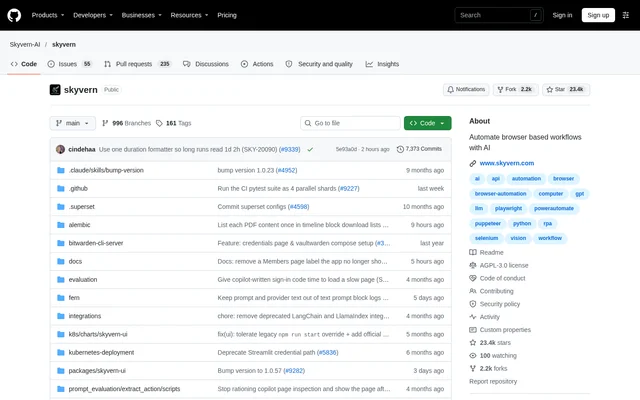
Skyvern is an open-source browser automation project that combines large language models with computer vision to automate website workflows. Skyvern provides a Playwright-compatible SDK for developers and a no-code workflow builder for non-technical users. The project is distributed through a public repository under the AGPL-3.0 license.
Skyvern uses a swarm of agents to understand a website, plan actions, and execute those actions through browser automation libraries such as Playwright. Skyvern maps visual elements to workflow actions rather than depending only on predefined XPath interactions. The repository describes this approach as resistant to website layout changes and usable on previously unseen websites.
What Skyvern can do
Skyvern adds AI commands to browser page objects while preserving standard Playwright actions. Skyvern supports natural-language instructions for interacting with page elements, extracting information, checking page state, and executing broader tasks. Developers can supply an optional response schema for extraction or prompting and combine these capabilities with selector-based automation.
- Skyvern performs browser actions from natural-language prompts.
- Skyvern extracts structured page data with an optional JSON schema.
- Skyvern validates page state and returns a boolean result.
- Skyvern executes complex multi-step tasks and pre-built workflows.
- Skyvern authenticates with credentials stored in Skyvern, Bitwarden, or 1Password.
- Skyvern navigates websites and downloads files.
- Skyvern supports AI-powered element location for clicks, form filling, selection, and uploads.
How Skyvern works
Skyvern supports traditional Playwright selectors, natural-language element targeting, and a fallback mode that tries a selector before using AI. Python and TypeScript SDK examples show connecting to Skyvern, launching a cloud browser, obtaining a working page, and mixing conventional browser actions with AI-powered tasks and stored-credential login.
Skyvern can also run locally with a server and web interface. The pip installation path uses SQLite by default and supports connecting to an existing Postgres database. Docker Compose bundles Postgres, the API, and the UI, with an LLM provider configured through an environment file. Skyvern also documents running a packaged UI against an existing API.
Who Skyvern is for
Skyvern is intended for technical and non-technical users who need to automate manual website workflows. Developers can extend Playwright-based automation with AI commands, while users who prefer a visual approach can use the no-code workflow builder. The documented examples cover extracting website information, authenticating, interacting with forms, and completing tasks across browser pages.
- Developers can use Skyvern to add natural-language actions to Playwright workflows.
- Non-technical users can use Skyvern to build browser workflows without code.
- Skyvern can extract product names, prices, and order details.
- Skyvern can automate authenticated workflows and file downloads.
Skyvern access and deployment options
Skyvern is available as an open-source project under the AGPL-3.0 license, with local installation instructions for pip and Docker Compose. Skyvern Cloud is a managed alternative accessed by creating an account at app.skyvern.com. The repository does not state subscription prices, usage charges, or a cloud free-tier allowance.
Skyvern Cloud handles infrastructure and supports running multiple Skyvern instances in parallel. The managed offering includes anti-bot detection mechanisms, a proxy network, and CAPTCHA solvers. Local access is documented separately through the Python package, packaged web interface, and containerized deployment instructions, allowing users to choose between running infrastructure locally and using the managed service.
Skyvern strengths and setup limitations
Skyvern combines visual website understanding with existing browser automation methods, so developers do not have to choose exclusively between selectors and AI instructions. Skyvern also offers both a no-code builder and SDK access. Local deployment provides an alternative to managed cloud access, but requires installing dependencies and configuring the selected runtime environment.
- Skyvern pip deployment requires a supported Python version.
- Skyvern installation on Windows additionally requires Rust, VS Code with C++ development tools, and the Windows SDK.
- Skyvern Docker Compose deployment requires Docker Desktop and an LLM provider API key.
Skyvern FAQ
What is Skyvern?
Skyvern is an open-source browser automation project that uses LLMs and computer vision to automate website workflows. Skyvern provides a Playwright-compatible SDK and a no-code workflow builder for technical and non-technical users.
Is Skyvern open source?
Skyvern is an open-source project distributed under the AGPL-3.0 license. Skyvern documents local deployment through pip and Docker Compose, alongside a managed cloud service. The repository does not state cloud subscription prices or usage charges.
Can Skyvern run locally?
Skyvern can run locally with a server and web interface using pip or Docker Compose. The pip path defaults to SQLite, while Docker Compose bundles Postgres, the API, and the UI. Local setup requires installing dependencies and configuring the chosen deployment.
Does Skyvern work with Playwright?
Skyvern provides a Playwright-compatible SDK that combines standard browser actions with AI-powered commands. Skyvern supports selector-based interactions, natural-language element location, and a fallback mode that tries a selector before using AI when the selector fails.
What can Skyvern automate?
Skyvern can automate browser interactions, structured data extraction, page-state checks, stored-credential logins, file downloads, and complex multi-step tasks. Skyvern also supports running pre-built workflows and applying a workflow across different websites.
What does Skyvern Cloud include?
Skyvern Cloud is a managed version of Skyvern that handles infrastructure and supports multiple instances running in parallel. Skyvern Cloud includes anti-bot detection mechanisms, a proxy network, and CAPTCHA solvers, with access through an account at app.skyvern.com.
From the community
No reviews yet
Be the first to review this tool. What you write helps the next person choose.