What is SparkReceipt?
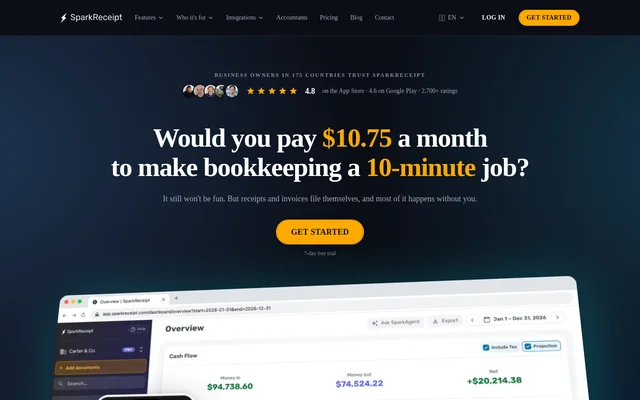
SparkReceipt is an AI receipt scanner and bookkeeping app for freelancers, self-employed people, and small businesses. SparkReceipt collects receipts and invoices from phone photos, email, and uploads, then extracts the details needed for expense records. The app runs on iOS, Android, and the web and lets accountants and bookkeepers review client records through their own login.
What SparkReceipt can do
SparkReceipt extracts merchant names, dates, totals, taxes, currencies, and line items from receipts. When an itemized receipt shows quantities and unit prices, SparkReceipt captures those details too. The scanner reads receipts in virtually any language and supports 190 currencies, while the mileage tracker keeps business trips alongside fuel and parking receipts.
- SparkReceipt imports receipts from Gmail, Outlook, or any IMAP mailbox.
- SparkReceipt searches past emails for receipts and invoices from a selected start date.
- SparkReceipt extracts transactions from PDF, CSV, and Excel statements.
- SparkReceipt suggests matches by amount, date, and merchant.
- SparkReceipt logs business trips by GPS or manual entry.
How SparkReceipt works
SparkReceipt can collect new email receipts automatically after a mailbox is connected. Users can photograph paper receipts in the mobile app and bring in transactions through a bank feed in the US or Canada, or by uploading a statement. SparkReceipt proposes matches for users to confirm and accepts plain-English rules for recurring decisions, such as categorizing purchases from a particular supplier as software.
SparkReceipt exports expense and profit-and-loss reports as PDF, Excel, or CSV files. SparkReceipt can also publish records with receipt images attached to QuickBooks Online, Xero, Sage Accounting, FreeAgent, FreshBooks, and Zoho Books. For Wave, Sage 50, Sage 200/300, and DATEV, SparkReceipt generates an import file instead of publishing directly.
Who SparkReceipt is for
SparkReceipt is designed for people who keep their own business records, including freelancers, sole proprietors, and small teams. Linked accounts can separate records for different businesses or keep personal expenses apart from business expenses. Accountants and bookkeepers can review receipts, expenses, and reports directly rather than waiting for clients to send files.
- Recover receipts from a backlog of business email.
- Identify bank transactions that are missing receipts.
- Export a business mileage report for a selected date range.
- Give an accountant access to reconciled records.
Strengths and limitations of SparkReceipt
SparkReceipt brings document capture, bank matching, and accountant access into the same workflow. Historical email imports help recover receipts that were never filed, and suggested matches help users see which transactions still need supporting documents. Direct publishing can keep receipt images with accounting records, but SparkReceipt does not handle every accounting task.
- Automatic bank feeds are available only in the US and Canada.
- Bank statement extraction and larger historical email imports use credits.
- Elite's unlimited scanning is subject to fair use.
- SparkReceipt does not create or send invoices, run payroll, or file tax returns.
SparkReceipt FAQ
What is SparkReceipt?
SparkReceipt is an AI receipt scanner and bookkeeping app for freelancers, self-employed people, and small businesses. SparkReceipt captures receipts and invoices from phone photos, email, and uploads, extracts document details, and matches receipts to bank transactions.
Can SparkReceipt find old receipts in Gmail or Outlook?
SparkReceipt can import historical receipts and invoices from Gmail, Outlook, or another IMAP mailbox. Users select a start date for the historical search, and SparkReceipt can continue importing new receipts from the connected inbox.
Can SparkReceipt match receipts to a bank statement?
SparkReceipt matches receipts to bank transactions using details such as amount, date, and merchant. Users can review suggested matches from automatic bank feeds in the US and Canada or from uploaded PDF, CSV, and Excel statements.
Does SparkReceipt integrate with QuickBooks Online and Xero?
SparkReceipt publishes records directly to QuickBooks Online and Xero with the receipt image attached. SparkReceipt also publishes to Sage Accounting, FreeAgent, FreshBooks, and Zoho Books, and provides import files for Wave, Sage 50, Sage 200/300, and DATEV.
Does SparkReceipt track business mileage?
SparkReceipt tracks business mileage by GPS or manual entry on both Pro and Elite. Users can export a trip report for a selected date range as a PDF, CSV, or Excel file.
From the community
No reviews yet
Be the first to review this tool. What you write helps the next person choose.