What is Spot AI?
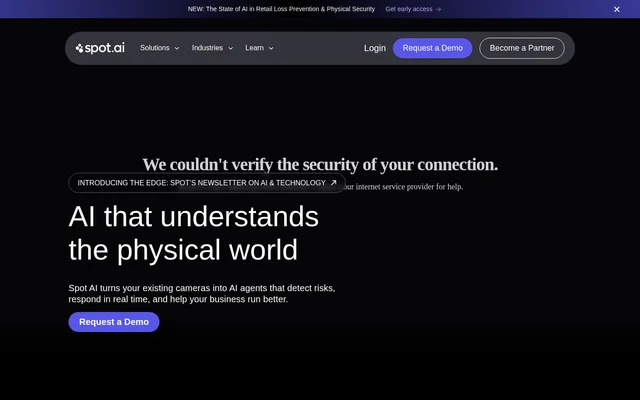
Spot AI is an AI video monitoring system that turns existing IP cameras into agents for security, safety, and operations. Spot AI uses live footage to identify events that matter to a business and respond according to the rules or goals that business sets. The system combines camera feeds, local recording and processing, and a cloud dashboard for viewing locations and investigating incidents.
What Spot AI can do
Spot AI can flag possible hazards, downtime, and security incidents in live camera feeds. Teams can also use the system to investigate past events or look for recurring patterns. Iris, the conversational agent, lets staff ask questions about what a camera recorded instead of reviewing the raw footage themselves.
- Spot AI flags relevant moments in camera feeds.
- Spot AI evaluates events against goals or operating procedures.
- Spot AI can trigger alerts, live voice warnings, and scorecard updates.
- Spot AI supports footage search across locations.
- Spot AI provides plain-language queries and automatic reports through Iris.
How Spot AI works
Spot AI works with existing IP cameras and uses an Intelligent Video Recorder to provide continuous local storage and on-device AI processing. Teams can view their locations and search for incidents in the cloud dashboard. Businesses that need new cameras can be connected with a certified hardware partner.
Spot AI evaluates activity in camera feeds against the rules, goals, or standard operating procedures a team sets. When an event calls for action, the system can send an alert, start a workflow, or update a scorecard. The dashboard gives staff a separate way to inspect incidents and follow up on what the cameras recorded.
Who Spot AI is for
Spot AI is for teams responsible for physical sites, including retail locations, manufacturing facilities, car washes, and construction sites. Security teams can use it for live deterrence and incident review, while safety and operations teams can use camera footage to check procedures, identify hazards, and investigate downtime.
- Monitor sites for security incidents and deter unwanted activity.
- Review workplace hazards and check adherence to safety procedures.
- Identify manufacturing downtime across shifts.
- Search for incidents across multiple business locations.
Spot AI pricing and plans
Spot AI does not publish subscription prices or plan details on the supplied page. The main system is presented through a demo request. The page also lists high-resolution IP cameras at no cost and describes a separate browser-based video preview that requires an email address. Neither the camera offer nor the preview establishes that the full monitoring system is free.
Spot AI strengths and limitations
Spot AI works with existing IP cameras, so businesses with compatible equipment do not have to replace their cameras to use the system. The cloud dashboard groups locations in a single view, and Iris can answer questions and produce reports without requiring staff to review long recordings manually. The preview is limited to analyzing an uploaded clip.
- The video preview accepts up to 10 minutes of footage.
- The video preview requires an email address.
- Subscription prices and plan details are not listed on the page.
Getting started with Spot AI
Spot AI offers two ways to evaluate the product on its website: a demo request for the full system and a video upload preview for the AI Assistant. The upload preview does not require an installation or a sales call. For an ongoing deployment, the site describes using existing IP cameras or sourcing new ones through a certified hardware partner.
Spot AI FAQ
What is Spot AI?
Spot AI is an AI video monitoring system that uses IP camera footage to detect events and respond in real time. Spot AI assesses events against business goals or standard operating procedures and can trigger an alert, live voice warning, or scorecard update.
Does Spot AI work with existing security cameras?
Spot AI works with existing IP cameras, so businesses do not need to replace compatible cameras. Spot AI pairs those camera feeds with a cloud dashboard for viewing and searching footage and an Intelligent Video Recorder for local storage and on-device AI processing.
How much does Spot AI cost?
Spot AI does not list subscription prices or plan details on its website page. The page offers a product demo by request and a separate video analysis preview that requires an email address and does not require an installation or sales call.
Who is Spot AI for?
Spot AI is for teams that oversee security, workplace safety, and operations at physical sites. The website highlights retail, manufacturing, car washes, and construction, with applications including live security deterrence, manufacturing optimization, and compliance with operating procedures.
What is Iris in Spot AI?
Spot AI provides Iris as a conversational agent that lets users ask questions about camera footage in plain language. Iris can identify trends and patterns and generate automatic reports without requiring users to review the raw footage themselves.
Can you try Spot AI without installing anything?
Spot AI offers an AI Assistant preview that accepts up to 10 minutes of video and requires an email address. The preview analyzes uploaded footage without an installation or sales call and is presented separately from the product demo.
From the community
No reviews yet
Be the first to review this tool. What you write helps the next person choose.