What is Submagic?
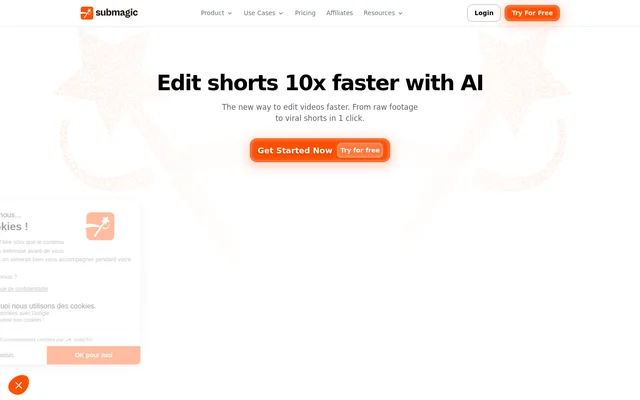
Submagic is an AI video editor for turning raw footage and longer recordings into short-form videos. Submagic serves individual creators and business teams that produce content for social channels. The editing workflow combines automated captions, highlight detection, transcript-based trimming, and publishing tools rather than relying only on manual timeline editing.
Submagic accepts uploaded videos and YouTube links, including podcasts, interviews, and phone footage. Submagic also provides AI avatars for creating videos without filming or hiring actors. Shared workspaces support collaborative production, while branding features help teams maintain consistent client or business content across their videos.
What Submagic can do
Submagic brings several stages of short-form production into the same editor, from finding moments in a recording to preparing captions and scheduling publication. Available capabilities vary by subscription tier, with differences in automated editing tools, branding options, publishing access, and export quality. The main capabilities described on the product page include the following.
- Submagic generates styled captions in 118 languages.
- Submagic uses Magic Clips to extract multiple shorts from longer videos.
- Submagic cuts and trims footage through transcript editing.
- Submagic automatically inserts B-roll and removes silences.
- Submagic schedules and publishes videos to social channels.
- Submagic creates videos using AI avatars.
- Submagic lets teams upload, edit, review, and export together.
How Submagic works
Submagic starts with a video upload or a YouTube link. Submagic then detects highlights, adds captions, inserts B-roll, and finds key moments automatically. Users can refine the result by editing the transcript, including cutting footage and removing silences without scrubbing through a traditional editing timeline.
Submagic supports exporting finished clips or scheduling publication from the editor. Users select a date and destination platforms, and Submagic publishes on schedule. The product page names TikTok, Reels, and Shorts as supported content destinations. Submagic also offers API access and integrations with minute allowances determined by the subscription plan.
Who Submagic is for
Submagic targets people and teams that publish short-form business or creator content. The stated audiences include business owners, media companies, marketing teams, agencies, advertisers, and content creators. Submagic supports both repurposing existing recordings and producing new avatar-based videos, with collaboration features for workflows involving multiple contributors.
- Content creators can turn podcasts and interviews into short videos.
- Media companies can repurpose long-form recordings into multiple clips.
- Agencies can produce branded content for clients.
- Marketing teams can prepare and schedule business videos.
- Advertisers can create short product videos.
Submagic pricing and plans
Submagic offers a free trial with no credit card required and paid subscriptions billed per member. With annual billing, Starter costs 12€ per member per month, Pro costs 23€, and Business costs 41€. Submagic also offers a custom plan through sales for tailored usage, team size, video limits, and API requirements.
Submagic allocates 45 credits per member on Starter, 120 on Pro, and 300 on Business. Listed video duration limits are 2 minutes, 5 minutes, and 30 minutes respectively. Starter includes 1080p exports at 30 FPS, while Business supports 4K and 60 FPS. Additional API credit packs are available after purchasing a plan.
Submagic strengths and limitations
Submagic combines captioning, clip extraction, transcript editing, and publishing within a connected production workflow. Multilingual captions support content preparation across languages, while shared workspaces and brand assets address team production needs. These capabilities are distributed across subscription tiers, so access to the full workflow depends on the selected plan.
- Submagic applies plan-specific credit and video-duration limits.
- Submagic reserves 4K and 60fps exports for Business.
- Submagic excludes social publishing from Starter in the plan comparison.
- Submagic requires a purchased plan before additional API packs can be added.
Submagic FAQ
What is Submagic?
Submagic is an AI video editor for short-form content that generates captions, identifies highlights, and turns long recordings into shorter clips. Submagic also supports transcript-based editing, AI avatars, team workspaces, and scheduled social publishing.
Is Submagic free?
Submagic offers a free trial with no credit card required, alongside paid Starter, Pro, Business, and custom plans. Submagic lists annual-billing prices of 12€, 23€, and 41€ per member per month for Starter, Pro, and Business respectively.
Can Submagic turn a long video into multiple shorts?
Submagic uses Magic Clips to find key moments in a long-form video and turn them into multiple shorts automatically. Submagic accepts uploads or YouTube links, with podcasts and interviews specifically described as source material.
Does Submagic add captions automatically?
Submagic automatically generates captions in 118 languages and applies caption styles designed for short-form viewing. Submagic states 99% caption accuracy on the product page and includes AI Auto Captions in the Starter plan.
Does Submagic support team collaboration?
Submagic supports shared workspaces where team members can upload, edit, review, and export videos together in real time. Submagic also offers branding features, including a Brand Kit on Pro and logos, brand assets, and custom vocabulary on Business.
Does Submagic have an API?
Submagic includes API access and integrations with plan-specific allowances. Submagic lists 10min/month for Starter and Pro and 100min/month for Business in the plan comparison. Additional API minute packs can be purchased after subscribing, while custom plans offer custom API limits.
From the community
No reviews yet
Be the first to review this tool. What you write helps the next person choose.