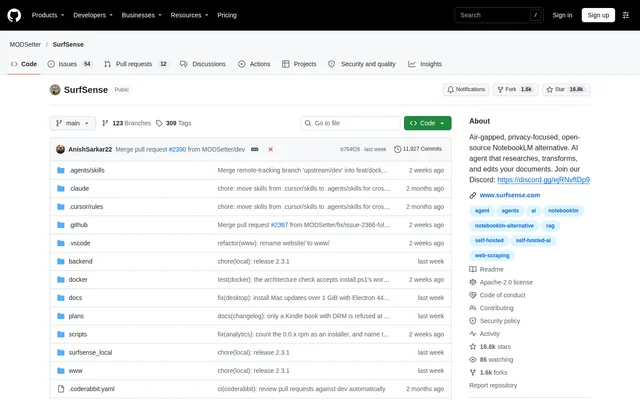
What is SurfSense?
SurfSense is an open-source desktop AI agent for researching, transforming and editing documents on the user's machine. SurfSense is presented as a NotebookLM alternative for documents that cannot be uploaded, with offline and air-gapped operation available. The document index stays on disk, and the app requires no account. Users choose whether to work with a local model or a remote model through an OpenAI-compatible API.
What SurfSense can do
SurfSense combines cited document research with file creation, editing and transformation. Supported material includes PDFs, Word documents, Excel workbooks, PowerPoint presentations, CSV files, images, text, HTML, DRM-free ebooks and audio recordings. SurfSense creates a new file for edits, conversions and PDF operations rather than modifying the original. The repository identifies PDF, Word and Excel as the formats with the most functionality today.
- SurfSense answers research questions with citations, including from scanned PDFs.
- SurfSense edits Word body text with tracked changes and comments.
- SurfSense reads and edits Excel formulas and creates native charts.
- SurfSense fills PDF forms and merges, splits, rotates or reorders pages.
- SurfSense transcribes recordings on the user's machine.
- SurfSense creates podcasts, mind maps, flashcards and quizzes.
- SurfSense creates Word documents and presentations using supplied templates.
How SurfSense works
SurfSense starts with installation and initial onboarding, followed by adding files or folders to sources. Users then ask the agent to search, extract information or edit files. Desktop downloads cover Windows x64, macOS Apple Silicon and Linux x64. Docker installation is also available: SurfSense runs on a self-hosted server that users can open from devices on their network.
SurfSense connects external sources through Settings under Plugins. SurfSense's own plugins read public pages without requiring users' accounts, covering services such as Google Search, YouTube, Reddit, Google Maps and Amazon. Third-party MCP servers can come from the plugin registry, including DeepWiki and Notion, or be added by URL. These servers remain disabled until the user allows them.
Who SurfSense is for
SurfSense is aimed at people whose documents need to stay on their own machine, while still supporting users who choose remote models. The demonstrated workflows include redlining a contract and turning web sources into a web page. SurfSense also supports spreadsheet analysis and learning materials, bringing document research and subsequent file work into the same app rather than limiting use to questions and answers.
- SurfSense supports contract review with tracked changes and comments.
- SurfSense analyses Excel and CSV data with pandas and charts the results.
- SurfSense turns source material into flashcards, quizzes and mind maps.
- SurfSense researches recordings through local transcription.
- SurfSense gathers public web material through optional plugins.
SurfSense pricing and plans
SurfSense provides the core desktop app free of charge under the Apache-2.0 license. SurfSense's own web plugins require a SurfSense license; users can enter an email address inside the downloaded app to obtain a free 14-day license. The supplied repository text does not list a price for continued licensed access. Third-party MCP servers require no SurfSense license and remain optional.
SurfSense strengths and limitations
SurfSense combines local document indexing, a choice of models and copy-based editing that preserves source files. Desktop and Docker options support different deployment preferences. Privacy depends partly on model choice: documents can leave the machine when a remote model is selected. Format support also varies, with the repository noting that support outside PDF, Word and Excel is still improving.
- SurfSense requires separately enabled LibreOffice support for Office-to-PDF conversion; LibreOffice is not included in the installer.
- SurfSense needs a local or remote image model for image creation and instruction-based image editing.
- SurfSense OCR reads Latin, Chinese and Japanese scripts.
- SurfSense supports ebook research only for books without DRM.
- SurfSense's own web plugins require a license.
SurfSense FAQ
What is SurfSense?
SurfSense is a free, open-source desktop AI agent for researching, transforming and editing documents on the user's machine. SurfSense offers cited answers, document creation and file editing, with a local index and a choice of local or remote models.
Is SurfSense free?
SurfSense provides a free core app under the Apache-2.0 license. SurfSense's own web plugins require a license, with a free 14-day license available by entering an email address in the app. Third-party MCP servers require no SurfSense license.
Can SurfSense work offline without uploading documents?
SurfSense supports offline and air-gapped operation with local models, and the document index stays on the user's disk. SurfSense also supports remote models, so documents can leave the machine if a remote model is selected.
Which operating systems does SurfSense support?
SurfSense offers desktop downloads for Windows x64, macOS Apple Silicon and Linux x64, including AppImage and deb packages. SurfSense also supports Docker deployment on Linux, macOS and Windows with Docker Desktop, allowing access from devices on the server's network.
Can SurfSense edit documents without changing the originals?
SurfSense saves edits, conversions and PDF operations as new files, leaving originals unchanged. SurfSense supports Word tracked changes and comments, Excel cell and formula editing, PowerPoint text replacement and slide operations, and PDF form filling and page manipulation.
Does SurfSense support plugins and MCP servers?
SurfSense supports licensed web plugins for public sources such as Google Search, YouTube, Reddit and Amazon. SurfSense also accepts third-party MCP servers from a registry or by URL, including DeepWiki and Notion; these require no SurfSense license and stay off until allowed.
From the community
No reviews yet
Be the first to review this tool. What you write helps the next person choose.