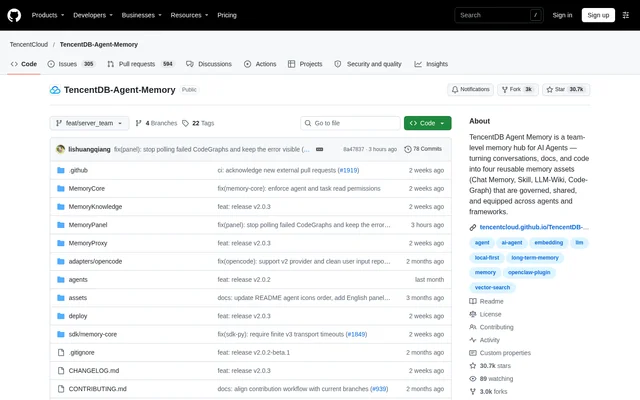
What is TencentDB-Agent-Memory?
TencentDB-Agent-Memory is an open-source memory hub for teams working with AI agents. TencentDB-Agent-Memory organizes project experience into Chat Memory, Skills, Wiki, and CodeGraph assets that agents and people can maintain and reuse. The project addresses repeated explanations, repeated document reading, and rediscovery of workflows across sessions and agents.
TencentDB-Agent-Memory separates memory assets from individual agent frameworks. Teams can retain preferences, project decisions, document knowledge, and code relationships while controlling which agents receive each asset. The memory hub supports the agent workflow rather than running the agent loop itself.
What TencentDB-Agent-Memory can do
TencentDB-Agent-Memory combines memory extraction, knowledge organization, and team governance. Conversations and tasks can become reusable experience, while imported documents and repositories become structured knowledge assets. The management panel provides a shared place to review these assets, inspect their metadata, and assign them to agents.
- TencentDB-Agent-Memory retains preferences, facts, decisions, and interaction history in Chat Memory.
- TencentDB-Agent-Memory extracts reusable Skills from conversations and tool calls.
- TencentDB-Agent-Memory converts documents into structured Wiki pages with a link graph.
- TencentDB-Agent-Memory indexes code symbols, files, call relationships, and impact paths.
- TencentDB-Agent-Memory manages asset ownership, versions, status, visibility, and agent bindings.
- TencentDB-Agent-Memory restricts access through private visibility, team sharing, and User, Role, or Agent ACLs.
How TencentDB-Agent-Memory works
TencentDB-Agent-Memory uses memory-core, memory-hub, and a proxy in the documented installation. Deployment begins by cloning the repository, preparing the environment configuration, and supplying LLM parameters for the memory and proxy groups. The startup script launches the services, and users can then open the management panel.
TencentDB-Agent-Memory connects supported agents by pointing their base URL to the proxy without changing the protocol. The source lists Claude Code, Codex, CodeBuddy, WorkBuddy, Hermes, OpenClaw, and DeepSeek Harness. Supported connections do not require a plugin, hook, or MCP server; other agents may require adaptation using the generic integration guide.
Who TencentDB-Agent-Memory is for
TencentDB-Agent-Memory serves developers and teams that want agents to inherit existing project knowledge rather than relearn it. The documented examples include research, product development, testing, and review roles. Teams can give each role a different selection of memory assets instead of exposing every agent to the same context.
- TencentDB-Agent-Memory can equip research agents with interview history, research documents, and analysis Skills.
- TencentDB-Agent-Memory can equip development agents with product knowledge and project CodeGraph assets.
- TencentDB-Agent-Memory can equip review agents with incident history and release checklists.
- TencentDB-Agent-Memory can initialize new agent teams from existing repositories, documents, and conversation sessions.
TencentDB-Agent-Memory strengths and limitations
TencentDB-Agent-Memory combines reusable knowledge with explicit ownership and access controls. New Chat Memory and Skills are private by default, and sharing requires an explicit action. Asset assignments let teams distribute relevant experience across agents while maintaining separate visibility boundaries for personal, team, and restricted information.
- TencentDB-Agent-Memory requires deployment and configuration of LLM parameters.
- TencentDB-Agent-Memory identifies Team Memory as a rapidly evolving beta.
- TencentDB-Agent-Memory provides an experimental MongoDB storage backend that is disabled by default.
Getting started with TencentDB-Agent-Memory
TencentDB-Agent-Memory is obtained through the public GitHub repository. The installation documentation covers standalone Memory Hub deployment, proxy usage with Claude Code and CodeBuddy, stopping services, cleanup, and port references. After deployment, users can create teams and agents, import existing knowledge, review generated assets, and configure sharing and agent assignments.
TencentDB-Agent-Memory FAQ
What is TencentDB-Agent-Memory?
TencentDB-Agent-Memory is an open-source team memory hub for AI agents that converts conversations, documents, and code into reusable assets. TencentDB-Agent-Memory supports Chat Memory, Skills, Wiki, and CodeGraph, with controls for reviewing, sharing, and assigning assets across agents and frameworks.
Which AI agents does TencentDB-Agent-Memory support?
TencentDB-Agent-Memory lists support for DeepSeek Harness, Claude Code, Codex, CodeBuddy, WorkBuddy, Hermes, and OpenClaw. Supported agents connect by pointing their base URL to the proxy. The documentation also provides a generic integration guide for adapting other agents.
Does TencentDB-Agent-Memory require an MCP server?
TencentDB-Agent-Memory does not require an MCP server, plugin, or hook for its documented proxy-based integration. Supported agents use the existing protocol and connect through a changed base URL, with client-specific configuration steps provided in the installation documentation.
How does TencentDB-Agent-Memory control access to shared memory?
TencentDB-Agent-Memory supports private, team, and restricted access using User, Role, and Agent ACLs. New Chat Memory and Skills are private by default. Private assets are readable only by their owner, while team sharing and targeted agent assignments provide explicit ways to distribute knowledge.
Can TencentDB-Agent-Memory import existing project knowledge?
TencentDB-Agent-Memory can import code repositories, documents, files, and past agent conversation sessions through the panel. Repository imports build CodeGraph indexes, document imports generate structured Wiki pages, and conversation imports automatically extract Skills and Chat Memory for reuse.
How do you install TencentDB-Agent-Memory?
TencentDB-Agent-Memory is installed by cloning the repository, preparing the environment configuration, supplying memory and proxy LLM parameters, and running the startup script. The documented setup launches memory-core, memory-hub, and the proxy, then provides access to the management panel.
From the community
No reviews yet
Be the first to review this tool. What you write helps the next person choose.