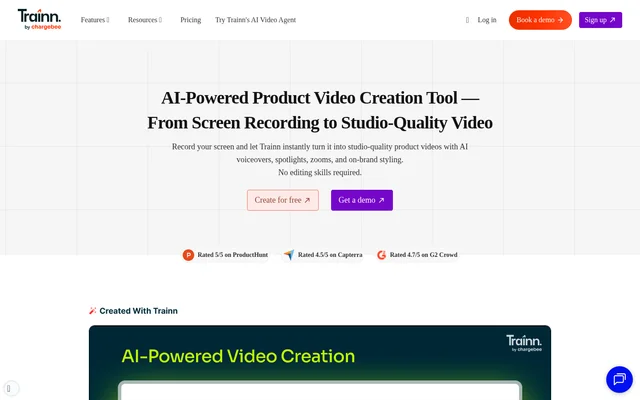
What is Trainn?
Trainn is an AI-powered product video creation tool that converts screen recordings into product demonstrations, training videos, and onboarding content. Trainn serves software teams that need to explain products and workflows without professional video editing or design experience. Automated voiceovers and visual enhancements provide the starting point for editable videos.
Trainn also supports customer education beyond standalone video production. The same recording can become interactive guides and step-by-step guides, while a branded no-code LMS, knowledge base, and in-app tutorials provide ways to deliver the resulting content. The website identifies customer education, customer training, customer enablement, and partner training as use cases.
What Trainn can do
Trainn combines screen capture, AI-assisted production, editing, publishing, and analytics. Recorded actions supply the context for voiceovers and visual effects, while the editor provides control over individual clips, scripts, styling, and annotations. Trainn also accepts existing video uploads for enhancement rather than requiring every project to begin with a new recording.
- Trainn records a full screen, window, or browser tab, with optional camera video.
- Trainn generates contextual AI voiceovers, zooms, and spotlights.
- Trainn creates transcripts, subtitles, video titles, descriptions, and intro slides.
- Trainn translates videos and supports custom pronunciations through a video glossary.
- Trainn lets users merge, split, trim, delete, add, and replace clips.
- Trainn tracks views, completions, drop-offs, learner progress, and feedback.
How Trainn works
Trainn starts the described recording workflow with installation of the Chrome extension. Users record a product or workflow, and Trainn captures clicks and applies contextual voiceovers, zooms, and spotlights. The clip-based editor then allows changes to scripts, visual effects, branding, and individual steps before publication.
Trainn publishes videos through public or private sharing links, website and help-document embeds, and downloadable exports. The page lists MP4, PDF, and image export formats, alongside hosting in a knowledge base, courses, and in-app tutorials. After publication, video-level and learner-level analytics show engagement, completion, and drop-off patterns.
Who Trainn is for
Trainn is intended for software teams producing product explanations and customer learning materials without specialist editing skills. The listed audiences include teams responsible for customer education, training, enablement, and partner training. Trainn also supports marketing product videos and recorded presentations for sharing updates and walkthroughs.
- Trainn helps customer education teams create step-by-step product tutorials.
- Trainn supports onboarding videos that explain product workflows to new customers.
- Trainn provides software training videos for customers learning product features.
- Trainn supports product demonstrations and marketing videos for prospective customers.
- Trainn creates instructional videos for customers seeking self-service answers.
Trainn pricing and trial access
Trainn offers a 14-day free trial with no credit card required. The page includes sign-up, login, and demo-booking options, along with links to pricing. The supplied page does not state subscription amounts, paid plan names, or which features are included during the trial.
Trainn strengths and workflow limitations
Trainn brings recording, AI-assisted editing, content delivery, and engagement measurement into the same product. Clip replacement is useful when software interfaces change because teams can update outdated sections without re-recording a complete walkthrough. Brand kits, glossary controls, and custom pronunciations provide additional control over consistency across customer-facing videos.
- Trainn limits the advertised free trial to 14 days.
- Trainn requires the Chrome extension for the screen-recording workflow described on the page.
- Trainn does not specify plan prices or trial feature allowances on the supplied page.
Trainn FAQ
What is Trainn?
Trainn is an AI-powered product video creation tool that converts screen recordings into product demos, training videos, and onboarding videos. Trainn automatically adds contextual voiceovers, zooms, spotlights, captions, titles, and descriptions, with clip-based editing for further changes.
Is Trainn free?
Trainn offers a 14-day free trial with no credit card required. The supplied page includes pricing and sign-up links but does not state subscription prices, paid plan names, or whether an ongoing free plan is available.
How does Trainn create videos from screen recordings?
Trainn captures screen actions through a recording workflow that starts with installing the Chrome extension. Trainn then adds AI voiceovers, zooms, spotlights, and captions automatically. Users can refine the resulting video in a clip-based editor before publishing or exporting.
Can Trainn videos be edited after creation?
Trainn provides a clip-based editor for reordering, adding, deleting, trimming, merging, and splitting clips. Trainn also supports script and voiceover changes, annotations, blurring, and visual-effect adjustments. Outdated sections can be replaced without re-recording the entire workflow.
How can teams share videos created with Trainn?
Trainn supports public or private sharing links, website and help-document embeds, and exports in MP4, PDF, or image formats. Trainn also hosts content through a knowledge base, LMS, and in-app tutorials, with video and learner engagement analytics.
Does Trainn support translated videos and AI voiceovers?
Trainn generates AI voiceovers from screen actions and supports video translation into multiple languages. Trainn also offers different accents and tones, conversion of recorded narration to AI voiceovers, script editing, a video glossary, and custom pronunciations.
From the community
No reviews yet
Be the first to review this tool. What you write helps the next person choose.