What is Veo 4?
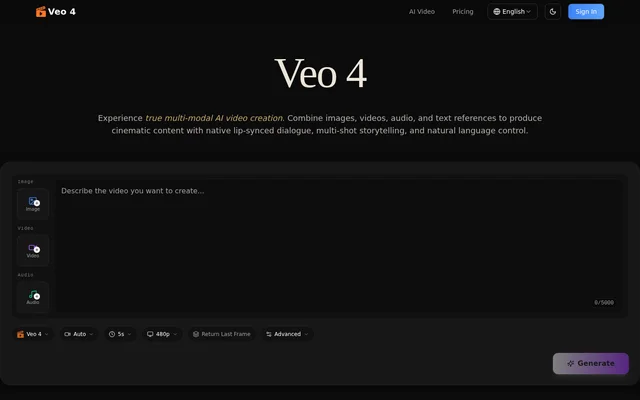
Veo 4 is an AI video generator and editor that takes text instructions alongside uploaded media. Content creators, filmmakers, marketers, and educators can use Veo 4 to make new footage or revise existing clips. A reference can guide a particular part of the result, such as a character's appearance, a camera move, or a sound, rather than serving as a template for the entire video.
What Veo 4 can do
Veo 4 can generate a sequence of shots from one prompt and is designed to preserve characters, outfits, and lighting across cuts. Veo 4 generates sound in the same pass as the visuals, so dialogue, effects, and music do not need to be synchronized in a separate tool.
- Veo 4 combines images, clips, and audio in one generation.
- Veo 4 generates lip-synced dialogue, Foley, and background music.
- Veo 4 uses reference footage to guide motion and camera movement.
- Veo 4 extends videos, merges clips, and edits selected segments.
How Veo 4 works
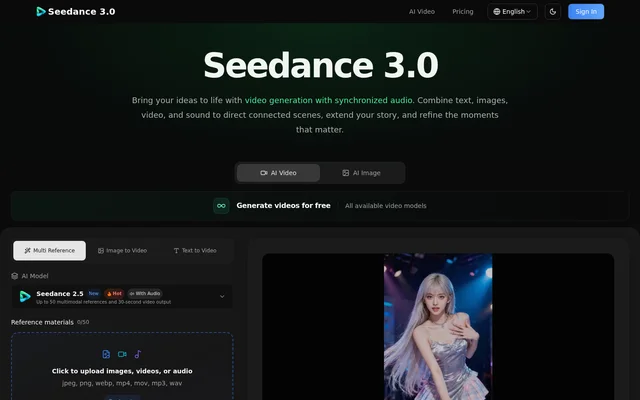
Veo 4 starts with a natural-language description of the desired video. When users upload references, they can tag specific assets in the prompt and give each one a role. For example, a still image can define the opening frame while a reference clip supplies the camera movement. The website's generation interface also shows controls for aspect ratio, duration, and resolution.
Who Veo 4 is for
Veo 4 is for people who want to turn an idea or existing media into video. A filmmaker can test camera moves before production, while a marketing team can use an ad format as a reference for new product footage. Veo 4 also supports tutorials, short-form social content, and property walkthroughs made from photos.
- Create product demos and branded ads.
- Produce short films and social videos.
- Make tutorials and visual lessons.
- Test framing and transitions before filming.
- Turn property photos into walkthroughs.
Veo 4 strengths and limitations
Veo 4 lets users guide different parts of a video with different assets, such as using an image for the framing and an audio clip for the voice. Veo 4 can also apply targeted changes to existing footage rather than regenerating it in full. For workflows that call for matching a specific camera move or choreography, the page describes uploading a clip that shows the desired movement.
Getting started with Veo 4
Veo 4 supports an iterative workflow in which users generate a clip and then use that output as a new reference. An initial prompt can assign a role to each uploaded asset before generation. To refine the result, users can upload the generated video and describe the next change, such as extending a scene, replacing a character, or modifying an action while preserving the rest of the clip.
Veo 4 FAQ
What is Veo 4?
Veo 4 is an AI video generator and editor that combines natural-language prompts with image, video, and audio references. Veo 4 can generate multi-shot sequences with synchronized audio and make targeted edits to existing footage.
What files can Veo 4 use as references?
Veo 4 accepts images, video clips, and audio files as references alongside a text prompt. Users can tag individual assets to specify what each one should guide, such as the first frame, camera movement, or voice.
Does Veo 4 generate audio with video?
Veo 4 generates audio alongside video, including lip-synced dialogue, Foley effects, and background music. Veo 4 produces these elements in the same generation so users do not have to synchronize them manually in a separate tool.
Can Veo 4 extend or edit an existing video?
Veo 4 can extend existing footage, merge clips, and edit selected segments. Users can upload a video and request changes such as replacing a character, adding an element, or modifying an action while preserving the rest.
Who is Veo 4 for?
Veo 4 is for content creators, filmmakers, marketers, and educators who want to generate or edit video. The page describes uses such as creating product ads, short films, and visual lessons, or testing camera movement before filming.
From the community
No reviews yet
Be the first to review this tool. What you write helps the next person choose.