What is Atticus?
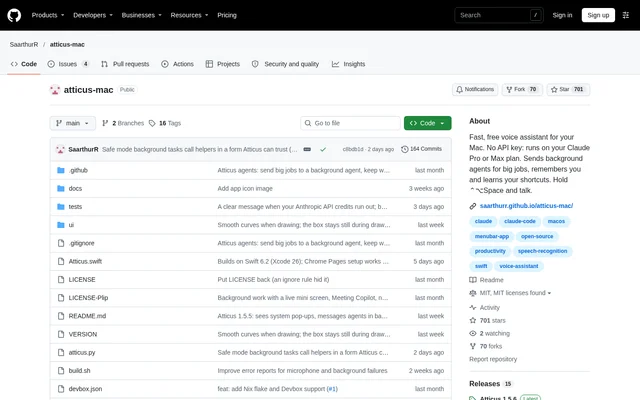
Atticus is an open-source voice assistant for Mac users who want to carry out desktop tasks through spoken requests. Atticus combines app and window control with dictation, screen questions, visual explanations and background agents. The project is available in a public GitHub repository under the MIT license, and the software is offered free with optional tips.
Atticus distinguishes between commands that need AI and actions that can run directly. Built-in commands can open apps, move windows, play music and search the web without AI. Atticus can also work out a new request, remember the steps and execute a repeated request without AI.
What Atticus can do
Atticus connects spoken requests with desktop actions, screen context and text entry. Atticus can answer questions about visible content, point to interface controls and draw explanations over the screen. For larger jobs, background agents work behind other apps, while Meeting Copilot provides answers and notes during calls.
- Atticus searches files by their contents.
- Atticus arranges application windows across displays.
- Atticus dictates text with optional AI cleanup.
- Atticus draws boxes, arrows, labels and diagrams on screen.
- Atticus remembers preferences and named shortcuts.
- Atticus saves meeting answers and notes on the Mac.
How Atticus works
Atticus accepts requests through a keyboard shortcut, typed input or a configurable wake word. Hold-to-talk sends a request when the shortcut is released, while toggle mode uses another press to send. Atticus also offers a separate dictation shortcut that inserts speech into a selected text field, with verbatim transcription or an AI cleanup pass.
Atticus uses Apple's on-device speech recognition by default and supports whisper.cpp for other languages or mixed-language speech. Audio stays on the Mac. AI tasks run through Claude Code on a Claude plan, Devin, Pi or a local model. A screen-pointing control lets users mark a region and submit a crop with a question.
Who Atticus is for
Atticus serves Mac users who want voice interaction for routine desktop work, writing and understanding on-screen material. The documented examples include arranging a coding workspace, drafting an email reply, finding travel notes and asking about code visible on screen. Atticus also supports users who want spoken instructions accompanied by visual pointers rather than text alone.
- Atticus helps arrange coding apps and terminal windows.
- Atticus drafts replies from an email displayed on screen.
- Atticus summarizes articles opened in the browser.
- Atticus provides notes and answers during calls.
Atticus pricing and installation requirements
Atticus is free and open source, with optional tips supporting the project. Atticus requires macOS 26 and an AI client, so free access to the assistant does not remove the need for a compatible backend. The repository provides a quick-install shell command and links to full installation steps. Supported client choices include Claude Code on a Claude plan, Devin, Pi and a local model.
Atticus strengths and limitations
Atticus combines local speech processing, direct commands and approval checks for sensitive operations. Safe mode runs AI commands in Claude Code's sandbox with writes restricted to a scratch folder. Atticus asks before actions such as deleting, sending, buying or changing a file, and records exact commands in an ask log. These safeguards accompany explicit limits on operating-system support, speech options and screen permissions.
- Atticus requires macOS 26 and a configured AI client.
- Atticus Meeting Copilot uses Apple's English model.
- Atticus shows an app icon and window title instead of a live preview without Screen Recording permission.
- Atticus needs a whisper.cpp installation and model download for the alternative speech engine.
Atticus FAQ
What is Atticus?
Atticus is a free, open-source voice assistant for Mac that controls apps, arranges windows, searches files, dictates text and answers questions about screen content. Atticus also supports background agents, remembered shortcuts and visual guidance drawn over the screen.
Is Atticus free?
Atticus is free and open source under the MIT license, and the project accepts optional tips. Atticus still requires an AI client, such as Claude Code on a Claude plan, Devin, Pi or a local model.
What does Atticus need to run?
Atticus requires macOS 26 and an AI client. Atticus supports Claude Code on a Claude plan, Devin, Pi or a local model, and the repository provides a quick-install shell command plus a link to full installation steps.
Does Atticus keep voice recordings on the Mac?
Atticus processes speech on the Mac, and the source states that audio never leaves the Mac. Atticus uses Apple's on-device speech recognition or an optional local whisper.cpp model; this audio guarantee does not describe all AI processing as local.
Can Atticus dictate in languages other than English?
Atticus supports other languages and mixed-language speech through whisper.cpp, selected in the speech model settings. Atticus installs whisper.cpp through Homebrew and downloads a chosen model. Apple's default speech recognition uses English, and Meeting Copilot still uses Apple's English model.
Does Atticus ask before sending or deleting things?
Atticus asks for approval before actions that delete, send, buy or change a file. Atticus also blocks commands including rm, sudo, disk tools and shutdown, while safe mode restricts AI command writes to a scratch folder through Claude Code's sandbox.
From the community
No reviews yet
Be the first to review this tool. What you write helps the next person choose.