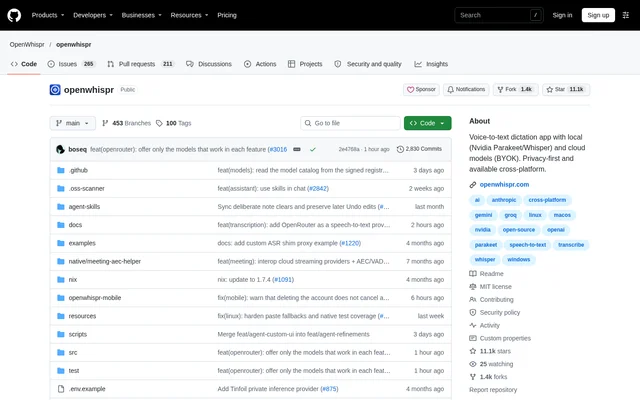
What is OpenWhispr?
OpenWhispr is an open-source desktop application for voice dictation, meeting transcription, notes, and AI assistance. OpenWhispr runs on macOS, Windows, and Linux and turns spoken input into text at the cursor. The project describes itself as a free alternative to WisprFlow and Granola, with both local speech recognition and cloud processing options.
OpenWhispr offers offline transcription using models such as Orukeet, Whisper, NVIDIA Parakeet, and Cohere Transcribe. With local transcription, audio stays on the device. The repository states that OpenWhispr has no data collection or telemetry, while cloud processing is available as an alternative.
What OpenWhispr can do
OpenWhispr combines speech capture with text editing, meeting records, and note management. Beyond basic transcription, OpenWhispr can route spoken commands to an AI assistant, translate dictation, and process existing recordings. Notes and transcriptions can also be accessed through a public API or connected to an AI assistant through the MCP server.
- OpenWhispr pastes dictated text into applications using a global hotkey.
- OpenWhispr translates spoken dictation into text in another language.
- OpenWhispr edits highlighted text through voice assistant commands.
- OpenWhispr detects Zoom, Teams, and FaceTime meetings for transcription.
- OpenWhispr labels speakers locally and recognizes voices across meetings.
- OpenWhispr imports audio and video files, batch uploads, and YouTube or audio URLs.
- OpenWhispr organizes notes with folders, semantic search, cloud sync, and AI actions.
How OpenWhispr works
OpenWhispr starts dictation through a hotkey: users speak, and the recognized words appear at the cursor. A separate voice assistant hotkey sends speech directly as a command without a wake word. With automatic pasting enabled, assistant answers appear at a writable cursor or stream into a floating panel and copy to the clipboard.
OpenWhispr supports local models and cloud providers, including GPT-5, Claude, Gemini, Groq, Tinfoil, and OpenRouter for AI assistance. Desktop downloads include macOS disk images, a Windows executable, and Linux packages. Developers can clone the repository, run npm install, and launch the desktop application with npm run dev; source setup requires Node.js 24+.
Who OpenWhispr is for
OpenWhispr serves desktop users who want speech-driven writing, meeting records, or voice access to AI assistance. Team spaces add collaborative note workflows, while developers can manage notes and transcriptions programmatically. Organizations can enforce policies, use company SSO and SCIM, and centrally manage Amazon Bedrock or Azure OpenAI access without distributing cloud keys.
- Desktop users can dictate directly into applications instead of typing.
- Meeting participants can create transcripts with speaker labels and calendar integration.
- Teams can share notes with link, domain, or invite-only visibility.
- Developers can connect notes and transcriptions to external workflows through the API and MCP server.
OpenWhispr pricing and access
OpenWhispr is free and open source under the MIT license, which allows personal and commercial use. The repository provides desktop downloads and source code, while team spaces and sharing are free for signed-in users. Cloud model support includes bring-your-own-key access. The supplied OpenWhispr text does not list separate cloud service prices or enterprise plan fees.
OpenWhispr strengths and limitations
OpenWhispr combines cross-platform desktop access with local processing options across transcription, AI reasoning, speaker diarization, and semantic search. Local Whisper supports GPU acceleration through Metal, CUDA, and Vulkan. Hardware compatibility still matters: Intel Macs can record and transcribe meetings, but some speaker recognition and search capabilities differ from those available on other supported systems.
- OpenWhispr does not provide live speaker identification or voice fingerprinting on Intel Macs because the required ONNX Runtime binaries are unavailable.
- OpenWhispr falls back to keyword-based notes search on Intel Macs.
- OpenWhispr requires sign-in for free team spaces and sharing.
- OpenWhispr requires Node.js 24+ when running the desktop application from source.
OpenWhispr FAQ
What is OpenWhispr?
OpenWhispr is a free, open-source desktop application for voice dictation, meeting transcription, notes, and AI assistance. OpenWhispr supports macOS, Windows, and Linux, with local speech recognition models or cloud processing and automatic pasting of dictated text into applications.
Is OpenWhispr free?
OpenWhispr is free and open source under the MIT license for personal and commercial use. OpenWhispr also offers free team spaces and sharing for signed-in users. The repository supports bring-your-own-key cloud models but does not specify cloud provider charges.
Can OpenWhispr work offline?
OpenWhispr supports offline transcription with local models including Orukeet, Whisper, NVIDIA Parakeet, and Cohere Transcribe, keeping audio on the device. OpenWhispr also supports local models for AI reasoning, speaker diarization, and semantic search, alongside optional cloud providers.
Can OpenWhispr transcribe meetings and identify speakers?
OpenWhispr can automatically detect Zoom, Teams, and FaceTime calls and provide meeting transcription with speaker diarization and voice fingerprinting. OpenWhispr integrates with Google, Microsoft, or Apple Calendar. Live speaker identification and voice fingerprinting are unavailable on Intel Macs.
Does OpenWhispr have an API or MCP server?
OpenWhispr provides a public API for managing notes and transcriptions programmatically and an MCP server for connecting AI assistants. OpenWhispr documentation includes an API reference, MCP server setup instructions, platform guides, and troubleshooting information.
How do you install OpenWhispr?
OpenWhispr provides desktop installers for macOS, Windows, and Linux, including disk images, a Windows executable, and Linux package formats. OpenWhispr can also run from source by cloning the repository, installing dependencies with npm install, and running npm run dev with Node.js 24+.
From the community
No reviews yet
Be the first to review this tool. What you write helps the next person choose.