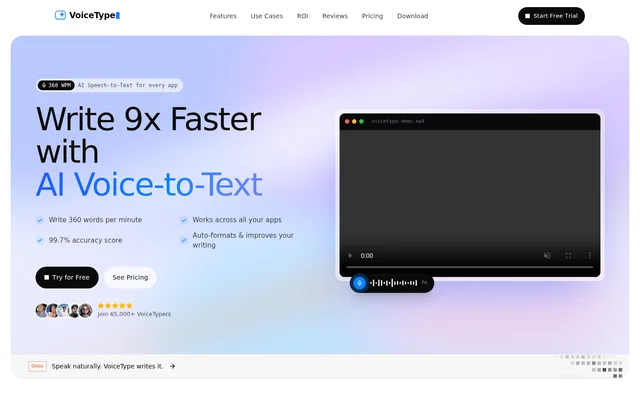
What is VoiceType AI?
VoiceType AI is an AI-enabled speech-to-text app for writing through dictation across applications. VoiceType AI converts natural speech into text while applying formatting and writing improvements. The stated audience includes doctors, lawyers, journalists, founders, developers, writers, students, support teams, consultants, and marketers.
VoiceType AI is presented as an alternative to typing for everyday written work, from emails to project documentation. The page emphasizes cleaned-up writing rather than raw transcription alone: filler words are removed, spoken content is formatted, and tone changes according to the application where the text appears.
What VoiceType AI can do
VoiceType AI combines dictation with automatic text editing and application context. The page names Notion, Linear, Slack, Gmail, Instagram, and iMessage as examples of environments or writing contexts. VoiceType AI also supports multilingual speech and quiet dictation, extending the stated workflow beyond ordinary speaking volume and a single language.
- VoiceType AI places dictated text at the cursor in a text field.
- VoiceType AI removes filler words and formats speech as users talk.
- VoiceType AI adjusts writing tone based on the active app.
- VoiceType AI supports 35+ languages.
- VoiceType AI understands soft speech through Whisper Mode.
- VoiceType AI encrypts data through private cloud servers.
How VoiceType AI works
VoiceType AI uses a hotkey-based workflow: users hold the hotkey in a text field and speak naturally. VoiceType AI listens, removes filler words, formats the content, and places the resulting text at the cursor. The page states that this workflow does not require plugins or integrations.
VoiceType AI uses the application context to adapt the resulting writing. Examples contrast messages to colleagues on Slack with personal messages on Instagram or iMessage, alongside recruiting emails and Linear issues. The described process combines spoken input with automatic tone adjustment rather than requiring a separate writing editor.
Who VoiceType AI is for
VoiceType AI targets people whose work or study involves frequent writing across applications. The page explicitly names professional groups as well as students, with use cases ranging from inbox work to personal reflection. These examples describe drafting and documenting through speech, rather than a dedicated meeting-recording or audio-file transcription workflow.
- VoiceType AI supports professionals drafting emails and workplace messages.
- VoiceType AI supports developers creating code and project documentation.
- VoiceType AI supports students and writers taking notes.
- VoiceType AI supports journaling, self-reflection, and day planning.
- VoiceType AI supports meeting summaries and requirements mapping.
VoiceType AI strengths and limitations
VoiceType AI brings speech entry, filler-word removal, formatting, and tone matching into the same text-field workflow. Cross-application use without plugins is a stated advantage for people moving between messaging, email, and documentation. Multilingual support and Whisper Mode add options for different languages and quieter speaking situations.
- VoiceType AI describes cloud-based data processing, not a local-only deployment.
- VoiceType AI lists a yearly-plan price but does not establish full plan terms in the supplied text.
- VoiceType AI offers a trial without specifying its duration or usage allowance.
VoiceType AI FAQ
What is VoiceType AI?
VoiceType AI is an AI-enabled speech-to-text dictation app that converts natural speech into formatted writing across applications. VoiceType AI removes filler words, improves written output, and adapts tone to the app where the user is writing.
How do you use VoiceType AI across apps?
VoiceType AI works by having users hold a hotkey in a text field and speak naturally. VoiceType AI removes filler words, formats the speech, and places text at the cursor without requiring plugins or integrations.
Who is VoiceType AI for?
VoiceType AI is intended for doctors, lawyers, journalists, founders, developers, writers, students, support teams, consultants, and marketers. VoiceType AI supports writing tasks such as emails, notes, meeting summaries, requirements mapping, journaling, day planning, and project documentation.
Does VoiceType AI support multiple languages and quiet speech?
VoiceType AI supports 35+ languages and includes Whisper Mode for understanding soft speech. The page lists languages including English, Spanish, French, German, Japanese, Portuguese, Italian, Korean, Turkish, Arabic, Hindi, and Dutch.
From the community
No reviews yet
Be the first to review this tool. What you write helps the next person choose.