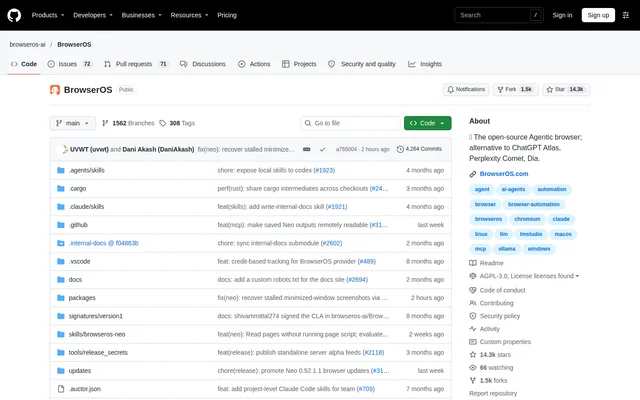
What is BrowserOS?
BrowserOS is an open-source agentic browser that gives connected AI agents access to logged-in websites. BrowserOS is built on Chromium and is intended to sit alongside Chrome, not replace it. The project serves people who already use AI agents and want those agents to handle browser tasks involving their real accounts, such as reading email or updating business tools.
BrowserOS combines a desktop browser with an agent connection layer and a dashboard for observing activity. The repository contains the Chromium fork and the agent subsystem, including an MCP endpoint and a JSON API behind the dashboard. BrowserOS is distributed as a free application, with source code available under the AGPL-3.0 license.
What BrowserOS can do
BrowserOS supports browser automation through external agents while keeping agent activity visible to the user. The main capabilities focus on reusing authenticated accounts, connecting existing agent tools, and reviewing completed actions. BrowserOS also lets several agents work concurrently, with each agent using its own tab while the user continues browsing.
- BrowserOS imports Chrome logins, bookmarks, extensions, passwords, and settings.
- BrowserOS connects to AI tools that support MCP.
- BrowserOS shows active agents, current websites, and task progress in a live dashboard.
- BrowserOS saves sessions as scrubbable videos with step-by-step action timelines.
- BrowserOS runs parallel agent tasks in separate tabs.
- BrowserOS stores sessions, screenshots, and history locally.
How BrowserOS works
BrowserOS starts with a desktop installation, followed by Chrome data import and connection to an existing agent. BrowserOS detects supported tools on the machine, including Claude Code, Codex, Cursor, VS Code, OpenClaw, and Hermes. Users then give instructions through their agent rather than through the browser, and watch the resulting activity in the dashboard.
BrowserOS keeps session recordings, screenshots, history, and settings under ~/.browserclaw/ without uploading those records. BrowserOS does send anonymous product-usage events, including connection events, version, and operating system. The source states that telemetry excludes URLs, page content, prompts, tool results, and screenshots, and users can disable telemetry with a Settings toggle.
Who BrowserOS is for
BrowserOS is for users whose agent tasks require access to authenticated websites rather than a fresh browser environment. The stated examples cover personal administration, social media work, and business operations. BrowserOS can support users who want to keep their existing agent tools while monitoring browser actions live or inspecting the saved session afterward.
- BrowserOS supports posting and queuing content on LinkedIn and Twitter/X.
- BrowserOS supports clearing inboxes and unsubscribing from unwanted email.
- BrowserOS supports updating CRM records and filing expenses.
- BrowserOS supports retrieving reports from internal tools.
BrowserOS pricing and availability
BrowserOS is free and open source under the AGPL-3.0 license. BrowserOS offers direct downloads for macOS, Windows, and Linux, as well as a Homebrew installation path. Linux downloads are x64 builds in AppImage and DEB formats. The project also provides an enterprise deployment contact, but the supplied text does not specify enterprise pricing.
BrowserOS strengths and limitations
BrowserOS combines existing account access, MCP compatibility, concurrent agent tabs, and replayable sessions in a locally running browser. These capabilities let users observe and review automation without moving browser sessions to a cloud browser. BrowserOS remains a secondary browser that depends on connected agents, and local session storage should be distinguished from the optional anonymous product-usage telemetry.
- BrowserOS requires users to assign tasks through a connected agent.
- BrowserOS provides Linux builds for x64 only.
- BrowserOS sends anonymous usage events unless telemetry is disabled.
- BrowserOS is not intended to replace Chrome.
BrowserOS FAQ
What is BrowserOS?
BrowserOS is a free, open-source Chromium-based browser for AI agents. BrowserOS runs alongside Chrome, imports existing account data, and lets connected agents automate logged-in websites while users monitor activity or replay saved sessions.
Is BrowserOS free?
BrowserOS is free and open source under the AGPL-3.0 license. BrowserOS provides desktop downloads for macOS, Windows, and Linux, and works with external agent tools that users may already use and pay for.
Which AI tools work with BrowserOS?
BrowserOS works with any AI tool that speaks MCP. BrowserOS lists connections for Claude Code, Codex, Cursor, VS Code, Zed, OpenCode, Hermes, OpenClaw, and Antigravity, with supported tools connecting through a single-click workflow.
Does BrowserOS keep browser activity on the user's machine?
BrowserOS stores sessions, screenshots, history, and settings locally without uploading them. BrowserOS sends anonymous usage events but excludes URLs, page content, prompts, tool results, and screenshots from that telemetry. Users can disable usage telemetry in Settings.
Can BrowserOS use Chrome logins and extensions?
BrowserOS imports Chrome logins, bookmarks, passwords, extensions, and settings. BrowserOS is a Chromium fork, so Chrome extensions work, and imported account access allows agents to operate on authenticated websites rather than starting in an empty browser environment.
What operating systems does BrowserOS support?
BrowserOS runs on macOS, Windows, and Linux, with Linux builds limited to x64. BrowserOS offers direct downloads, Linux AppImage and DEB packages, and a Homebrew installation option. System requirements match Google Chrome.
From the community
No reviews yet
Be the first to review this tool. What you write helps the next person choose.