What is Fliki Tweet to Video?
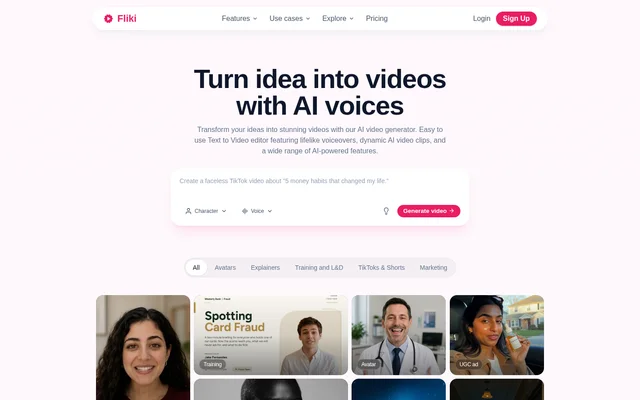
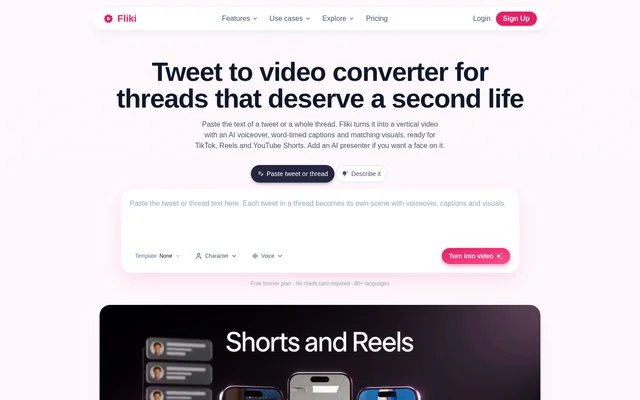
Fliki Tweet to Video is a web-based tool from Fliki that converts written posts from X into new videos. Fliki Tweet to Video combines AI narration, animated captions and matching visuals for creators and brands repurposing existing content. The output is designed for TikTok, Instagram Reels and YouTube Shorts, with other aspect ratios available for additional destinations.
Fliki Tweet to Video uses the words of a post rather than animating a tweet screenshot. A thread becomes a sequence of scenes, with each pasted paragraph supplying a separate part of the video. This approach supports narrated stories, explanations and announcements built from material already published as text.
What Fliki Tweet to Video can do
Fliki Tweet to Video assembles a video around the text supplied by the user. The workflow adds speech and visuals to individual scenes, while animated captions follow the narration word by word. Users can select a voice and caption style, adjust scenes and choose whether to include an AI presenter on a paid plan.
- Fliki Tweet to Video turns each paragraph into a separate scene.
- Fliki Tweet to Video matches stock footage or AI-generated images to scenes.
- Fliki Tweet to Video adds word-timed animated captions.
- Fliki Tweet to Video offers AI voices across 80+ languages.
- Fliki Tweet to Video exports 9:16, 1:1 and 16:9 versions.
- Fliki Tweet to Video supports AI avatar presenters on paid plans.
How Fliki Tweet to Video works
Fliki Tweet to Video starts with text copied from X and pasted into the browser-based tool. For a thread, users arrange the posts in order with each post in a separate paragraph. Fliki Tweet to Video creates scenes with visuals and voiceover, after which users choose a voice, select caption styling and adjust scenes before rendering.
Fliki Tweet to Video renders vertical videos for TikTok, Reels and Shorts by default. The same project can also produce square or landscape versions for X, LinkedIn and YouTube. Users export the completed video and post it to their chosen destination; the described workflow does not require downloading an existing video from X.
Who Fliki Tweet to Video is for
Fliki Tweet to Video serves creators extending the reach of successful posts, brands adapting announcements and founders or experts republishing thought leadership. The stated use cases also include narrated story threads and news commentary. These workflows reuse written material as short videos for audiences who may not encounter the original post on X.
- Creators can turn successful threads into narrated Shorts.
- Brands can adapt product announcements into promotional videos.
- Commentators can create captioned explainers from newsworthy posts.
- Founders and experts can adapt threads into LinkedIn videos.
Fliki Tweet to Video pricing and plans
Fliki Tweet to Video is included in a free plan with 3 credits per month and no credit card requirement. Free exports are 720p and carry a Fliki watermark. Paid plans remove the watermark, while AI avatar presenters and translation require paid access. The pricing page lists Standard, Premium and Enterprise plans, with Enterprise offered through custom pricing.
Fliki Tweet to Video strengths and limitations
Fliki Tweet to Video combines thread segmentation, narration, captions and scene visuals in a workflow aimed at content repurposing. Multiple aspect ratios allow the same project to serve different social channels. Access restrictions matter when planning production: the free plan has limited credits and watermarked exports, while presenters and translation sit behind paid plans.
- Fliki Tweet to Video accepts pasted text, not tweet links.
- Fliki Tweet to Video does not download videos from X.
- Fliki Tweet to Video limits free exports to watermarked 720p videos.
- Fliki Tweet to Video requires paid access for AI presenters and translation.
Fliki Tweet to Video FAQ
What is Fliki Tweet to Video?
Fliki Tweet to Video is a browser-based AI converter that turns pasted tweet or thread text into a narrated video with animated captions and matching visuals. Fliki Tweet to Video supports vertical videos for TikTok, Instagram Reels and YouTube Shorts, alongside square and landscape exports.
Is Fliki Tweet to Video free?
Fliki Tweet to Video is available on a free plan with 3 credits per month and no credit card required. Free exports are 720p and include a watermark. Paid plans remove the watermark, while AI avatar presenters and translation require paid access.
How do you turn a whole thread into a video with Fliki Tweet to Video?
Fliki Tweet to Video converts a whole thread when users paste the posts in order, with each post in a separate paragraph. Each paragraph becomes a scene with voiceover and visuals. Users then select a voice and caption style, adjust scenes and render the video.
Can Fliki Tweet to Video use a tweet link or download an X video?
Fliki Tweet to Video requires the text of a tweet or thread rather than a link and does not download videos from X. Fliki Tweet to Video creates a new video from the supplied words, adding narration, captions and visuals.
Which languages does Fliki Tweet to Video support?
Fliki Tweet to Video supports 80+ languages and 100+ dialects, with 2,000+ AI voices described on the tool page. Voice availability varies by plan: the free pricing tier lists 300 voices. Translating the same thread into another language requires a paid plan.
Can Fliki Tweet to Video add an AI presenter?
Fliki Tweet to Video can add an AI avatar that reads a thread to camera on paid plans. Fliki Tweet to Video also supports voice-only videos with visuals on any plan, so an on-screen presenter is optional.
From the community
No reviews yet
Be the first to review this tool. What you write helps the next person choose.