What is Herald OS?
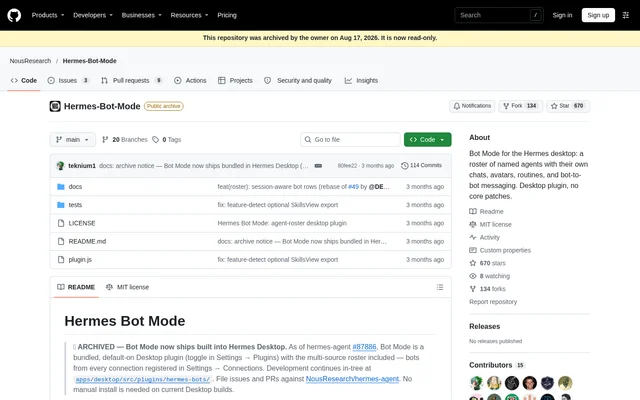
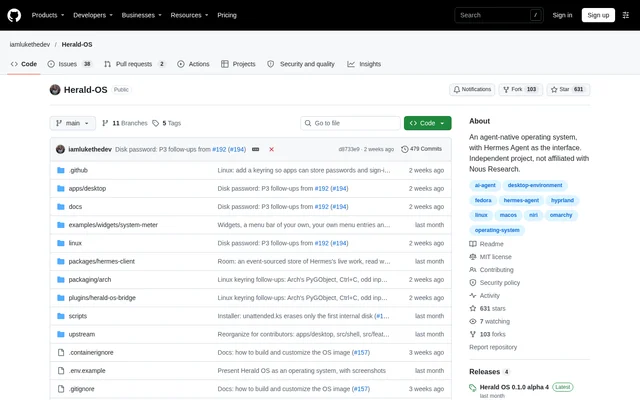
Herald OS is an open-source operating system built around Hermes Agent, allowing users to interact with their computer through conversation rather than only through menus and folders. Herald OS serves people seeking agent-driven application control, file management and recurring tasks on Linux or macOS. The repository identifies Herald OS as an independent project by Luke The Dev, not an official Hermes or Nous Research product.
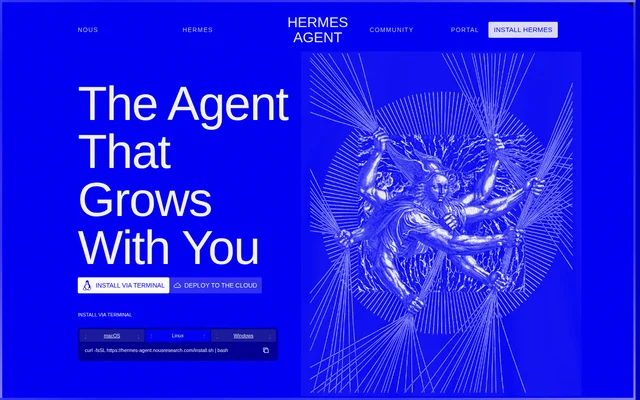
Herald OS uses the open-source Hermes Agent published by Nous Research, installed alongside Herald OS. The project describes its current status as alpha and warns users to expect rough edges. The documentation also recommends keeping backups of anything the agent is allowed to touch, making the development status relevant when choosing a machine or account for installation.
What Herald OS can do
Herald OS connects conversational requests to actions across the computer. Users can speak or type to Hermes to work with applications, files and routines, while actions that change something pass through a permission system the user controls. The documented capabilities also include screen-related assistance and software building, with operating-system permissions required for certain macOS functions.
- Herald OS opens applications and watches what is running.
- Herald OS finds and organises files.
- Herald OS remembers information that matters to the user.
- Herald OS runs routines on a schedule.
- Herald OS builds software while the user watches.
- Herald OS supports questions about screen content, screenshots and screen recordings.
- Herald OS provides dictation and emoji entry into other applications.
How Herald OS works
Herald OS downloads are provided through the repository's releases page. Installation choices include a Fedora-based Linux installer, an Arch package, a Linux tarball and an Apple Silicon macOS application. Linux packages can run Herald OS as an application within an existing desktop, while a full session requires niri and the tools used by its panels and menu bar.
Herald OS relies on Hermes Agent and a configured model provider. Supported choices named in the documentation include Nous Portal, OpenRouter, OpenAI, Anthropic and a local model. Herald OS displays a sign-in card when Hermes first needs credentials. The model provider settings allow switching providers, entering an API key and configuring a custom endpoint.
Who Herald OS is for
Herald OS is for Linux and macOS users who want an AI agent to participate directly in desktop work. The installation documentation covers people dedicating a PC to Herald OS, adding the application to an existing Linux desktop, or trying the whole operating system in a virtual machine. These options support different levels of commitment without requiring every user to replace an existing system.
- Herald OS supports users who want conversational access to applications and files.
- Herald OS supports recurring work through scheduled routines.
- Herald OS supports software-building tasks directed through Hermes.
- Herald OS offers an application mode for existing Linux desktops.
Herald OS pricing and access
Herald OS is an open-source project distributed under the MIT license, with downloads available on GitHub releases. The source does not list subscription plans or purchase prices for Herald OS. Hermes requires a model provider regardless of the installation method: users need a Nous Portal account, an API key for a supported provider, or a local model.
Herald OS strengths and limitations
Herald OS combines desktop actions, conversational interaction and user-controlled permissions in an open-source project. The documented installation paths cover a complete Linux system as well as application-based use, and Linux update commands include rollback support. Availability and setup requirements vary by installation path, so the repository's alpha status and platform-specific warnings are important considerations before installation.
- Herald OS remains alpha-stage software, and backups are recommended.
- Herald OS has no published Intel macOS build yet.
- Herald OS requires a security override because the macOS build is not notarized.
- Herald OS full Linux sessions require niri and supporting tools.
- Herald OS Omarchy integration has not yet been tested on an Omarchy machine.
Herald OS FAQ
What is Herald OS?
Herald OS is an open-source, agent-native operating system that uses Hermes Agent as its interface. Herald OS lets users speak or type requests to open apps, organise files, monitor running software, schedule routines and build software, with user-controlled permissions for changes.
Is Herald OS free?
Herald OS is an open-source project distributed under the MIT license, with downloads on GitHub releases and no listed subscription plans or purchase prices. Herald OS requires Hermes Agent and a supported model provider or local model; the page does not state provider costs.
Does Herald OS work on macOS and Linux?
Herald OS provides an Apple Silicon macOS application, a Fedora-based Linux installer, an Arch package and a Linux tarball. Herald OS can run inside an existing Linux desktop or as a full session with required dependencies. The Intel macOS build is not yet available.
Which AI model providers does Herald OS support?
Herald OS uses model providers supported by Hermes Agent, including Nous Portal, OpenRouter, OpenAI, Anthropic and local models. Herald OS includes model provider settings for switching providers, entering API keys and configuring custom endpoints.
Is Herald OS ready for everyday use?
Herald OS is described as alpha-stage software, with rough edges expected and backups recommended for anything the agent can touch. Herald OS also has platform-specific limitations, including an unavailable Intel macOS release and a macOS build that is not yet notarized by Apple.
From the community
No reviews yet
Be the first to review this tool. What you write helps the next person choose.