What is Lex?
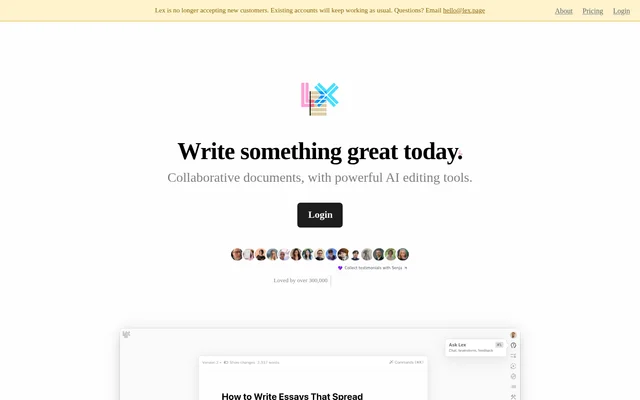
Lex is a collaborative writing editor that combines shared documents with AI tools for developing and revising drafts. Lex supports quick notes as well as complex documents, with features for feedback, alternative wording, comments, and publishing. The intended writing includes academic papers, customer-facing copy, important emails, and fiction that benefits from another editing pass.
Lex is no longer accepting new customers. Existing accounts will keep working as usual, and the website directs existing users to log in. This availability restriction matters when evaluating Lex: the described writing and collaboration features remain relevant to current account holders, rather than representing an open invitation to create a new account.
What Lex can do
Lex brings AI assistance into the document editing process alongside familiar collaboration features. Writers can ask for feedback on a draft, generate ideas, or request rewritten text. Lex also offers commands for targeted writing tasks and document features for discussing edits, trying different phrasing, and sharing finished work with readers.
- Lex provides AI feedback, brainstorming, and rewriting.
- Lex offers AI commands to find words and generate ideas.
- Lex generates title suggestions with a click.
- Lex supports comments that users can navigate with keyboard shortcuts.
- Lex provides versions for exploring alternative wording.
- Lex supports live collaboration and read-only publishing links.
How Lex works
Lex uses shared links for collaborative writing: the website describes sharing a link, logging in, and seeing collaborators type in real time. Lex also supports mobile web collaboration without an app download. For distribution rather than editing, Lex lets writers send a read-only link so other people can read the document.
Lex uses models from OpenAI, Anthropic, and TogetherAI through their enterprise APIs. Lex states that writing is not used to train AI and that data is privately and securely hosted in its own database. Lex also states that team access to user data is subject to strict policies and explicit permission.
Who Lex is for
Lex is designed for writing that goes through an editing process, rather than a single specified profession or document type. The website names academic papers, customer-facing copy, important emails, and fiction as examples. Shared documents and live collaboration also support people who want to review or develop writing together.
- Lex supports authors revising academic papers for journal submission.
- Lex supports writers editing customer-facing copy and important emails.
- Lex supports fiction writers seeking feedback on familiar drafts.
- Lex supports collaborators working together on shared documents.
Lex pricing and plans
Lex makes document sharing and collaboration free. Lex Pro is a subscription option for existing users, who must log in to view pricing. Pro benefits include premium AI models, early access to new features, an iOS app, and priority email support. Lex Teams can be added to a subscription to enable unlimited group use of Lex folders.
Lex strengths and limitations
Lex combines AI revision tools with document versions, comments, mobile web access, and live collaboration. Free sharing supports joint editing, while read-only links provide a separate way to distribute writing. The principal access limitation is that Lex no longer accepts new customers. Lex also distinguishes Pro benefits from free collaboration and lists Track Changes as a forthcoming feature.
- Lex is available to existing accounts, not new customers.
- Lex requires login to view subscription pricing.
- Lex lists Track Changes as coming soon.
Lex FAQ
What is Lex?
Lex is a collaborative document editor with AI feedback, brainstorming, rewriting, word suggestions, and title generation. Lex also includes comments, versions, live collaboration, mobile web access, and read-only publishing links for writers developing and revising documents.
Can new customers sign up for Lex?
Lex is no longer accepting new customers. Lex states that existing accounts will keep working as usual, and the website provides a login option for existing users alongside an email contact for questions.
Is Lex free?
Lex offers free document sharing and collaboration, alongside a paid Lex Pro subscription. Lex Pro pricing is available to existing users after login. Lex Teams can be added to a subscription for unlimited group use of folders.
What does Lex Pro include?
Lex Pro includes access to premium AI models such as GPT 4.1 and Claude 4 Opus & Sonnet, early access to new features, an iOS app, and priority email support. Lex directs existing users to log in to view pricing options.
Does Lex use writing to train AI?
Lex states that user writing is not used to train AI. Lex uses OpenAI, Anthropic, and TogetherAI models through enterprise APIs and is not training language models. Lex says any future training plans would be communicated by email with an option to opt out.
Who is Lex designed for?
Lex is designed for writers working on material that goes through an editing process. Lex specifically names academic papers for journals, customer-facing copy, important emails, and fiction as examples of writing that can benefit from its editing tools.
From the community
No reviews yet
Be the first to review this tool. What you write helps the next person choose.