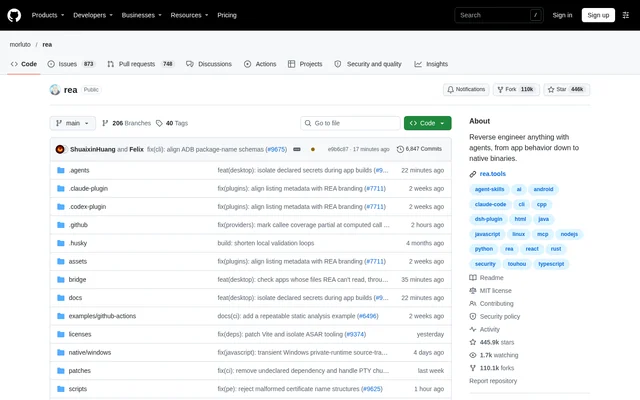
What is REA?
REA is an open-source reverse engineering project that gives AI agents tools to inspect applications, native binaries and runtime behavior. REA supports investigating features without access to an application's source code. The project describes a workflow in which an agent explains how a feature works, presents evidence and builds a version for another project.
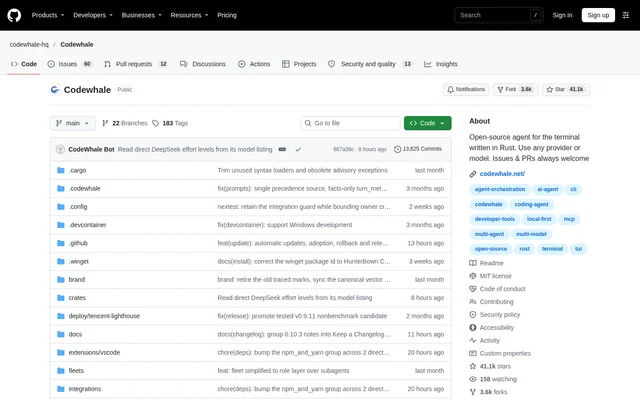
REA exposes its tools through MCP and terminal commands, with analysis running locally. Findings include the evidence and limitations behind each conclusion. The repository provides an MIT license, documentation, installation guidance and examples, while the website links to illustrated guides and case studies.
What REA can do
REA covers application inspection as well as lower-level artifact analysis. Supported outputs depend on the target and available tools: native analysis can return pseudocode and assembly, while JavaScript analysis identifies application structure and relationships. Other workflows inspect metadata, binary headers, website observations and saved network traffic.
- REA inspects native binary strings, symbols, calls and references.
- REA identifies JavaScript modules, imports, source maps, routes and Electron IPC.
- REA inspects website structure, scripts and network observations.
- REA returns GGUF and safetensors metadata and tensor declarations.
- REA inspects binary hardening flags in ELF, PE and Mach-O headers.
- REA analyzes saved HAR and Fiddler Everywhere SAZ captures.
How REA works
REA setup runs through the rea-agents npm package after Node.js and npm are installed. Users choose their agents, review proposed configuration changes and approve them. Setup adds the MCP server and matching workflow instructions, backs up existing configuration and requires an agent restart afterward. Supported agents include Claude Code, Codex, Cursor, Gemini CLI and Grok Build.
REA receives inspection requests from an agent through MCP and returns findings with evidence. The agent can ask follow-up questions, explain behavior, or write and test an implementation. Terminal commands use the same workflows. For JavaScript and Electron analysis, the CLI accepts an extracted application directory or ASAR and can return JSON results.
Who REA is for
REA serves developers who want to understand an existing application's behavior and use the findings in their own work. The documented example asks an agent to investigate search in a Notes app, show the evidence and build a similar feature. REA also supports terminal users who need direct inspection commands rather than agent-led investigation.
- REA helps investigate application features without source access.
- REA supports tracing relevant code to explain observed behavior.
- REA helps inspect Electron application boundaries and native add-on relationships.
- REA supports examining desktop installations for runtime candidates and supporting files.
REA licensing and access
REA is distributed as an MIT-licensed open-source project, with the repository, rea.tools website and rea-agents npm package identified as official sources. The documentation warns that a similar repository name or copied README does not establish an official download. Installation options include package-runner setup and a global npm installation for regular terminal use.
REA strengths and limitations
REA combines local analysis, evidence-backed findings and shared agent and terminal workflows. Static JavaScript analysis needs no native analysis engine, but native analysis uses Hopper, Ghidra, IDA or Kuna. Requirements vary by target, so REA's available inspection paths depend on installed tools, the host environment and the artifact being examined.
- REA requires a supported Node.js release and npm.
- REA requires a configured provider for native analysis.
- REA website analysis requires a Chrome-family browser.
- REA requires a procps-compatible ps for specified Linux workflows.
REA FAQ
What is REA?
REA is an open-source reverse engineering project that connects AI agents to inspection tools through MCP and also provides terminal workflows. REA examines applications, binaries and runtime behavior, returning findings with evidence and limitations.
How can developers access REA?
REA is available through its GitHub repository, rea.tools and the rea-agents npm package under an MIT license. REA supports package-runner setup for agents and a global npm installation for regular CLI use.
Which AI agents does REA support?
REA setup supports Claude Code, Codex, Cursor, Gemini CLI, Grok Build and other agents. REA registers its MCP server, installs matching workflow instructions and backs up existing configuration after users review and approve the proposed changes.
Does REA run analysis locally?
REA runs analysis locally and returns evidence and limitations behind its conclusions. REA exposes the same inspection workflows through MCP for AI agents and through CLI commands for terminal users.
Does REA require Ghidra or IDA?
REA native analysis can use Hopper, Ghidra, IDA or Kuna, and a provider must be configured before native CLI analysis. REA static JavaScript analysis needs no native analysis engine, while other targets have their own tool and host requirements.
From the community
No reviews yet
Be the first to review this tool. What you write helps the next person choose.