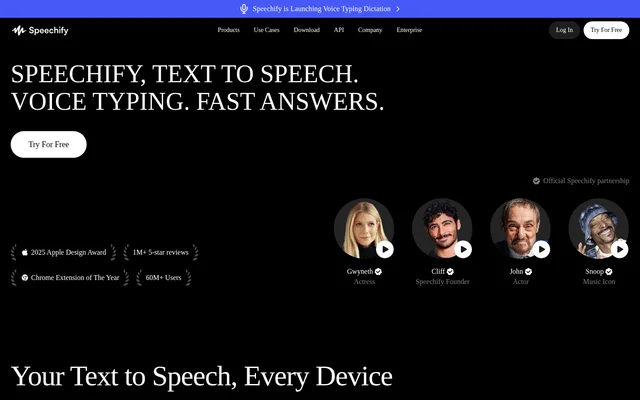
What is Speechify Text to Speech and AI Voice Generator?
Speechify Text to Speech and AI Voice Generator is a voice AI productivity assistant that combines text to speech with dictation, research, note-taking, and podcast creation. The service supports people who want to listen to written material, compose text by speaking, or ask questions about content. Its stated audiences include students, professionals, creators, seniors, and people who benefit from reading support.
Speechify Text to Speech and AI Voice Generator was built by founder Cliff Weitzman, who describes his experience with dyslexia as the reason for creating a text-to-speech tool. The product now includes document and browser reading alongside conversational assistance, with access through web, desktop, mobile, and browser-extension formats.
What Speechify Text to Speech and AI Voice Generator can do
Speechify Text to Speech and AI Voice Generator brings listening and spoken input into document work, studying, and everyday writing. Reading features include voice selection, synchronized text highlighting, adjustable playback speed, and scan-to-listen from a photo. Other tools turn source material into summaries, quizzes, notes, or podcasts rather than only reading the original text aloud.
- Speechify Text to Speech and AI Voice Generator reads PDFs, books, documents, and browser content aloud.
- Speechify Text to Speech and AI Voice Generator converts spoken input into written text.
- Speechify Text to Speech and AI Voice Generator answers questions using the context of reading material.
- Speechify Text to Speech and AI Voice Generator creates podcasts from documents or short descriptions.
- Speechify Text to Speech and AI Voice Generator produces meeting summaries and answers questions about calls.
- Speechify Text to Speech and AI Voice Generator turns reading material into quizzes.
How Speechify Text to Speech and AI Voice Generator works
Speechify Text to Speech and AI Voice Generator lets users upload a PDF into the web app, then listen to the document, summarize the contents, or create a podcast. The Chrome extension reads browser content, accepts dictated text, and answers questions about the current reading. The Edge extension also provides text to speech and question answering.
Speechify Text to Speech and AI Voice Generator provides Windows and Mac apps for dictation and reading across applications. The Mac description specifically names Slack, Outlook, and Cursor. Mobile access includes iOS and Android apps. Developers can create an account to access the Text to Speech API and consult the accompanying documentation.
Who Speechify Text to Speech and AI Voice Generator is for
Speechify Text to Speech and AI Voice Generator addresses both work and personal listening needs. Professionals can listen to documents and emails while preparing spoken responses. Students can review class material through summaries, podcasts, and voice notes. Accessibility-focused features let listeners adjust voices and speed while following highlighted text or listening instead of reading visually.
- Speechify Text to Speech and AI Voice Generator supports exam preparation with summaries and quizzes.
- Speechify Text to Speech and AI Voice Generator helps creators turn ideas, articles, or links into podcasts.
- Speechify Text to Speech and AI Voice Generator supports document and email review through listening and dictation.
- Speechify Text to Speech and AI Voice Generator provides spoken access to books and other personal reading.
Speechify Text to Speech and AI Voice Generator strengths and limitations
Speechify Text to Speech and AI Voice Generator combines several related workflows: listening to source material, dictating text, asking contextual questions, and creating derivative notes or audio. Its range of apps and extensions supports use across different devices. Access is not identical across plans: the supplied Premium offer places premium voices, unlimited listening, and integrations within the paid option.
Speechify Text to Speech and AI Voice Generator FAQ
What is Speechify Text to Speech and AI Voice Generator?
Speechify Text to Speech and AI Voice Generator is a voice AI productivity assistant for reading aloud, voice typing, research, questions and answers, note-taking, and podcast creation. Supported access options include web, desktop, mobile, and browser extensions.
Can Speechify Text to Speech and AI Voice Generator read PDFs aloud?
Speechify Text to Speech and AI Voice Generator reads uploaded PDFs aloud through the web app. Speechify Text to Speech and AI Voice Generator can also summarize an uploaded PDF or use the document to create a podcast.
Which devices support Speechify Text to Speech and AI Voice Generator?
Speechify Text to Speech and AI Voice Generator is available through a web app, Windows and Mac apps, iOS and Android apps, and Chrome and Microsoft Edge extensions. The page describes browser reading, mobile listening, and desktop dictation workflows.
Does Speechify Text to Speech and AI Voice Generator have an API?
Speechify Text to Speech and AI Voice Generator provides a Text to Speech API. Developers can create an account to get started and review the documentation. The page states that this API also powers the company's products.
Who is Speechify Text to Speech and AI Voice Generator for?
Speechify Text to Speech and AI Voice Generator serves students, professionals, creators, seniors, and people who benefit from listening to written content. Uses include reviewing study material, listening to work documents, dictating responses, and turning ideas or articles into podcasts.
From the community
No reviews yet
Be the first to review this tool. What you write helps the next person choose.